TouchDesigner is the default answer for real-time visuals, and it has earned that: it can build almost anything, and the Non-Commercial licence costs nothing. People look for an alternative for one of three reasons. The node graph takes weeks before anything moves on screen, paid work needs a licence, or it simply does not run on the device in their hands. Each reason points to a different tool, so this guide sorts the alternatives by the reason, with prices and platforms checked on the vendors' own pages in September 2026.
What TouchDesigner does well, so you do not replace it by mistake
TouchDesigner, from Derivative, is a node-based environment for real-time graphics. You wire operators together: audio in, analysis, maths, geometry, shaders, video, output. Nothing is prebuilt into a finished tool, which is exactly the point. It is at home with generative 3D, sensors and cameras, data driving pictures, and installations with many screens and projectors. If that is your work, most of the tools below are a step down, and the honest advice is to stay and learn it.
The licence terms are generous at the bottom and steep above it. The Non-Commercial licence is free, with the image resolution capped at 1280 by 1280 and support through the forum. Paid work needs a paid licence: Educational is $300, Commercial is $600 and Pro is $2,200. It runs on Windows 10 and 11 and on macOS Ventura or later, and an Intel Mac needs a discrete AMD graphics card. There is no version for iPad, iPhone or Linux.
So the three reasons to leave are real. The learning curve is steep because you build everything yourself, the free tier stops at 1280 pixels and at personal work, and the platforms are two.
The alternatives at a glance
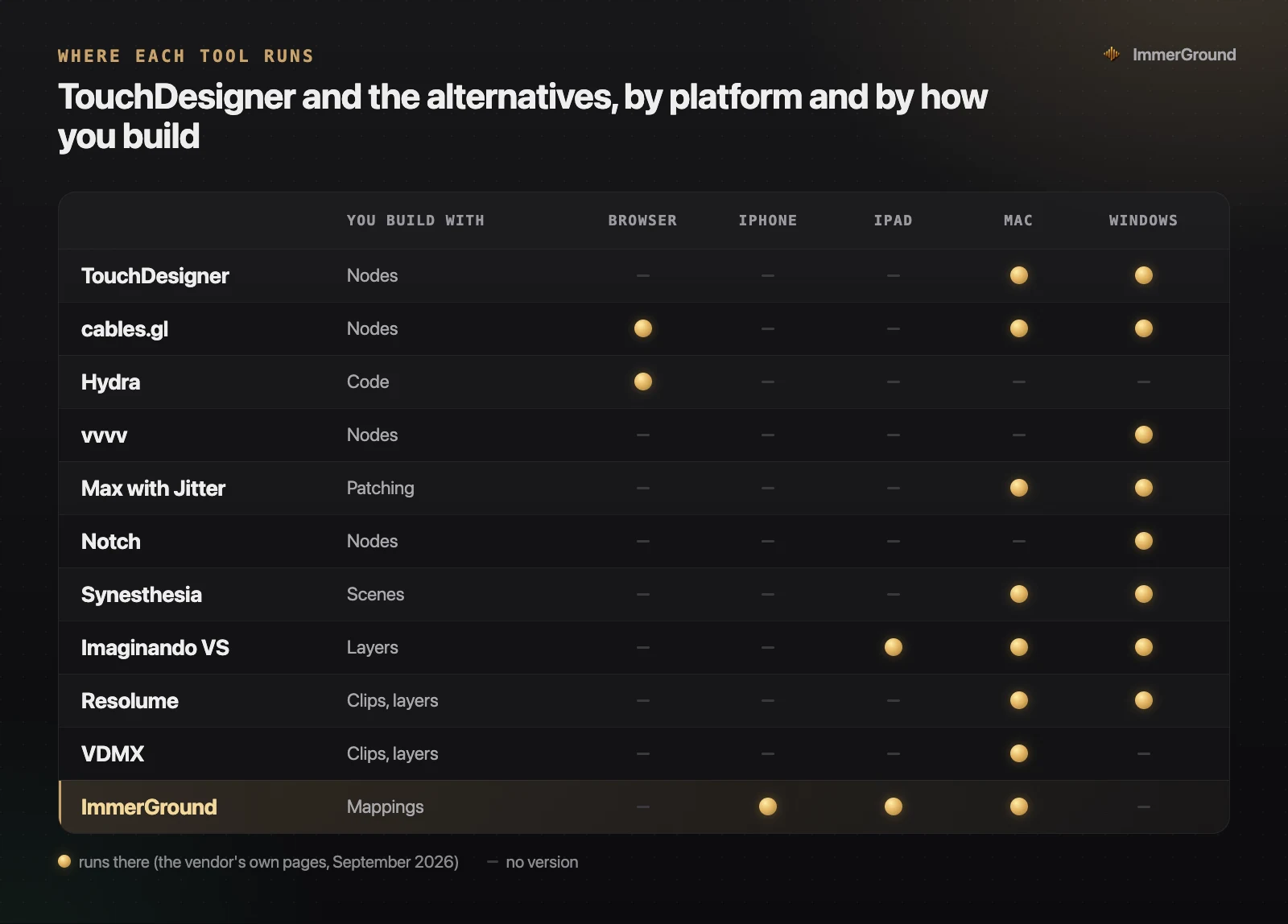
| Tool | You build with | Price | Pick it if |
|---|---|---|---|
| cables.gl | Nodes, in a browser | Free | You like nodes and want nothing to install. |
| Hydra | Code, in a browser | Free, open source | You would rather type than wire. |
| vvvv | Nodes | Free for non-commercial use | You are on Windows and want another node world. |
| Max with Jitter | Patching | From €13.99 a month | Sound is half the piece. |
| Notch | Nodes | From $279 a year | You are building a touring show. |
| Synesthesia | Scenes | $199 once | You want music visuals out of the box. |
| Imaginando VS | Layers | €129 once, $49.99 on iPad | You want a visual synth, also inside a DAW. |
| Resolume or VDMX | Clips and layers | From $199 | You were really after a VJ tool. |
| ImmerGround | Mappings | Free to download; Pro is $6.99 a week or $39.99 a year | You want your clip or photo to move with the music, on iPhone, iPad or Mac. |
If you like nodes, but not the price or the install
Some people are happy with the node graph and only want out of the licence or the download. Three tools keep the idea, and a fourth takes it further.
cables.gl
cables.gl is the closest thing to TouchDesigner that runs in a browser tab. You patch operators together and the result renders live in the page. It is free, with unlimited patches, 200 MB of assets and ten exports a day, and optional support plans from €5 to €200 a month keep it going. There is also a free standalone app for Windows, macOS and Linux if you want it off the web. The trade: a browser tab is a lighter engine than a native app, so very heavy scenes tend to hit a ceiling sooner.
vvvv
vvvv is a visual live programming environment: you patch while the program runs. It is free for evaluation, non-commercial use and teaching, and commercial use needs a licence per developer. It runs on Windows only: its own site says there is no native version for macOS.
Max with Jitter
Max, from Cycling '74, is the patching environment musicians already know, and Jitter is its video side. If the sound is half of your piece, and you want to patch the audio and the picture in one place, it is the natural pick. It runs on macOS and Windows, the trial is 30 days with everything unlocked, and it costs €399 to own, or €129 a year or €13.99 a month.
Notch, at the top end
Notch is node-based real-time graphics for touring shows and broadcast, and it is where a TouchDesigner artist goes for a stadium rather than away from complexity. It runs on Windows only. The Indie licence is $279 a year for non-commercial work with 1080p exports, VFX is $117 a month or $1,399 a year, and RFX is $216 a month or $2,589 a year, with a 60-day trial.
If you would rather write code
Hydra is a video synth you play by typing. It is written in JavaScript: a few lines chain sources, colour and geometry functions and feedback, and the picture updates as you edit, which makes it a tool for live coding in front of an audience. It runs in the browser on a laptop or a phone, and it is free and open source under the AGPL. It can also react to sound, using the default microphone as its input, so a speaker in the room is enough to get started.
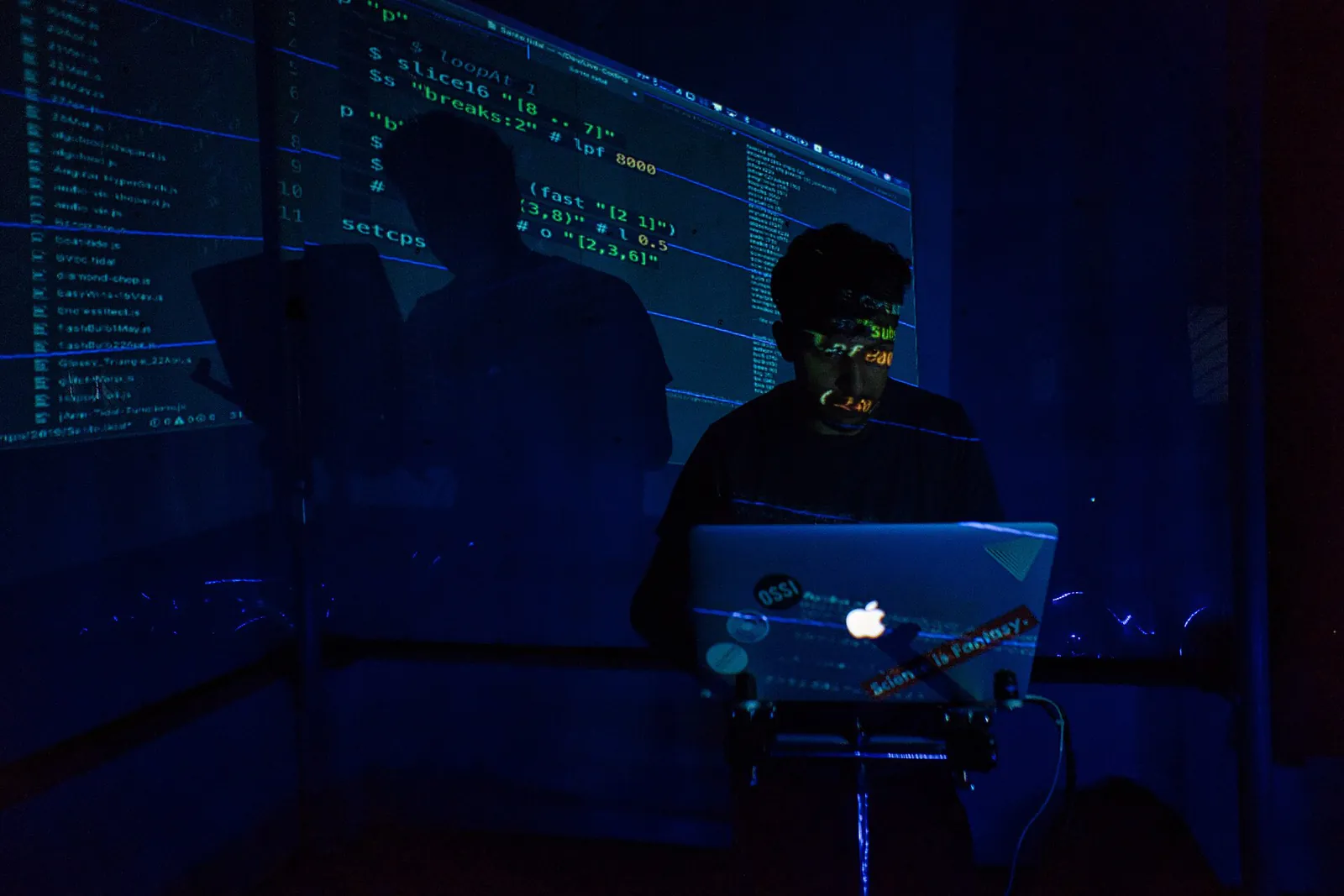
For many people the jump from TouchDesigner to Hydra is not a step down but sideways: less to build, more to perform. It is a poor fit if you need a fixed show that runs the same way every night without you typing.
If what you want is visuals that follow the music
This is the most common reason people open TouchDesigner in the first place, and the one where it is the most work. To get a picture that moves with a track you build the audio analysis, the smoothing, the mapping and the effect chain before anything happens on screen. Three tools ship that part finished.
Synesthesia
Synesthesia is a music visualizer built from scenes: shader programs that already respond to the audio, each with its own controls. It runs on macOS and Windows. Standard is $199 for one device and Pro is $399 for two, adding Syphon, Spout, NDI and OSC; both are perpetual licences, and the trial has no time limit but carries a watermark. If you want abstract visuals that dance with no building at all, start here; our guide to Synesthesia alternatives covers what to use if its price or its graphics card requirement rules it out.
Imaginando VS
Imaginando VS is a visual synthesizer that reacts to audio and MIDI, and on the desktop it also runs as a plugin inside your DAW, so the visuals sit in the same session as the music. It sends NDI, Spout or Syphon up to 4K at 60 frames a second. The desktop version is €129 once, or €9.90 a month rent-to-own, on macOS Ventura or later and Windows 10 or 11, with a demo that watermarks and cannot save. On iPad, VS 2 is a separate app at $49.99.
ImmerGround
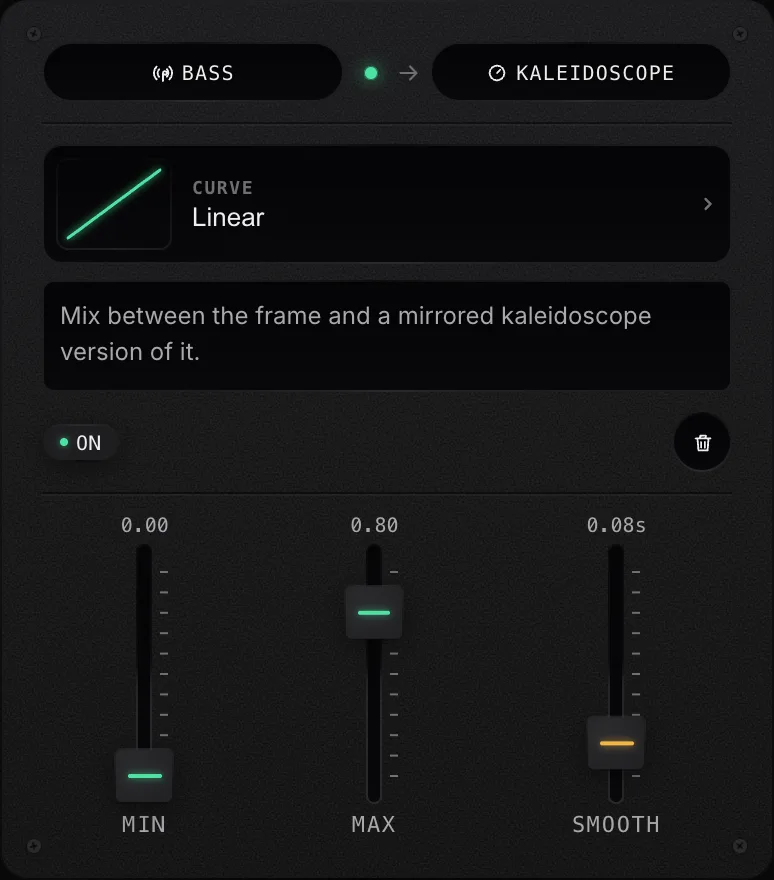
ImmerGround, which we make, comes at it from your footage instead of from generated graphics. You load a clip or a photo, the app measures the music (bass, mid, high, loudness and the beats), and you connect those signals to effects in a list: one row per mapping, each with a curve, a range and smoothing. That list is the part you would otherwise build as a node network.
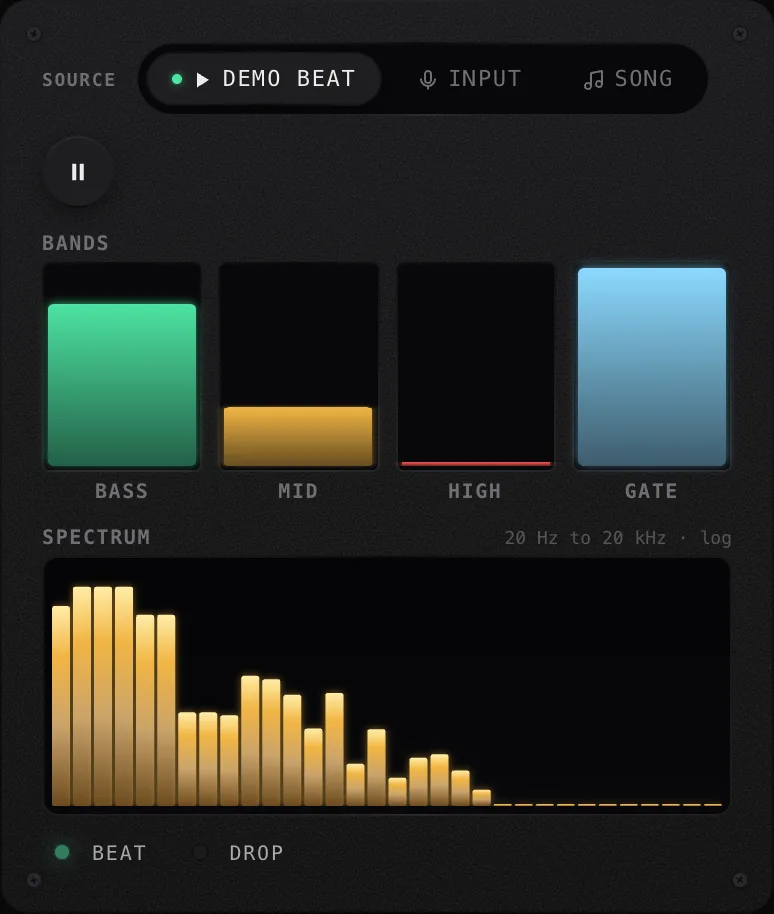
Its effects are video effects: thermal looks, glitch and texture, motion, time effects like freeze and stutter, and motion tracking that keeps them on a subject. MIDI controllers map the same way as the audio. It runs on iPhone, iPad and Mac, it is free to download, and ImmerGround Pro is $6.99 a week or $39.99 a year. Our guide to audio-reactive visuals without TouchDesigner walks through the three mappings to build first.
If you were really after a VJ tool
A lot of people who start in TouchDesigner discover that what they wanted was to play clips on a beat with effects on top, which is what VJ software has done for twenty years. Resolume is the standard: Avenue is €299 and Arena, which adds projection mapping, edge blending and DMX, is €799, and the demo is fully functional with no time limit, marked by a watermark and a robotic voice. VDMX is the Mac-only alternative, $199 for VDMX6 and $349 for Plus, with a demo that does everything except save. Both are covered, with the rest of the field, in our guide to Resolume alternatives.
If you want it on an iPad or an iPhone
There is no TouchDesigner for iPad or iPhone, and Derivative's system requirements list only Windows and macOS. Two ways around that, depending on what you want the tablet to do.
- As a controller. Keep TouchDesigner on the computer and use the iPad as a surface: any app that sends OSC or MIDI can drive parameters in a patch. You keep the depth and gain a touch screen.
- As the whole rig. Run the visuals on the iPad itself. VS 2 is the deepest visual synth on iPad, ImmerGround puts your footage and the mapping list on iPhone, iPad and Mac, and our roundup of the best VJ apps for iPad checks ten apps against their App Store listings.
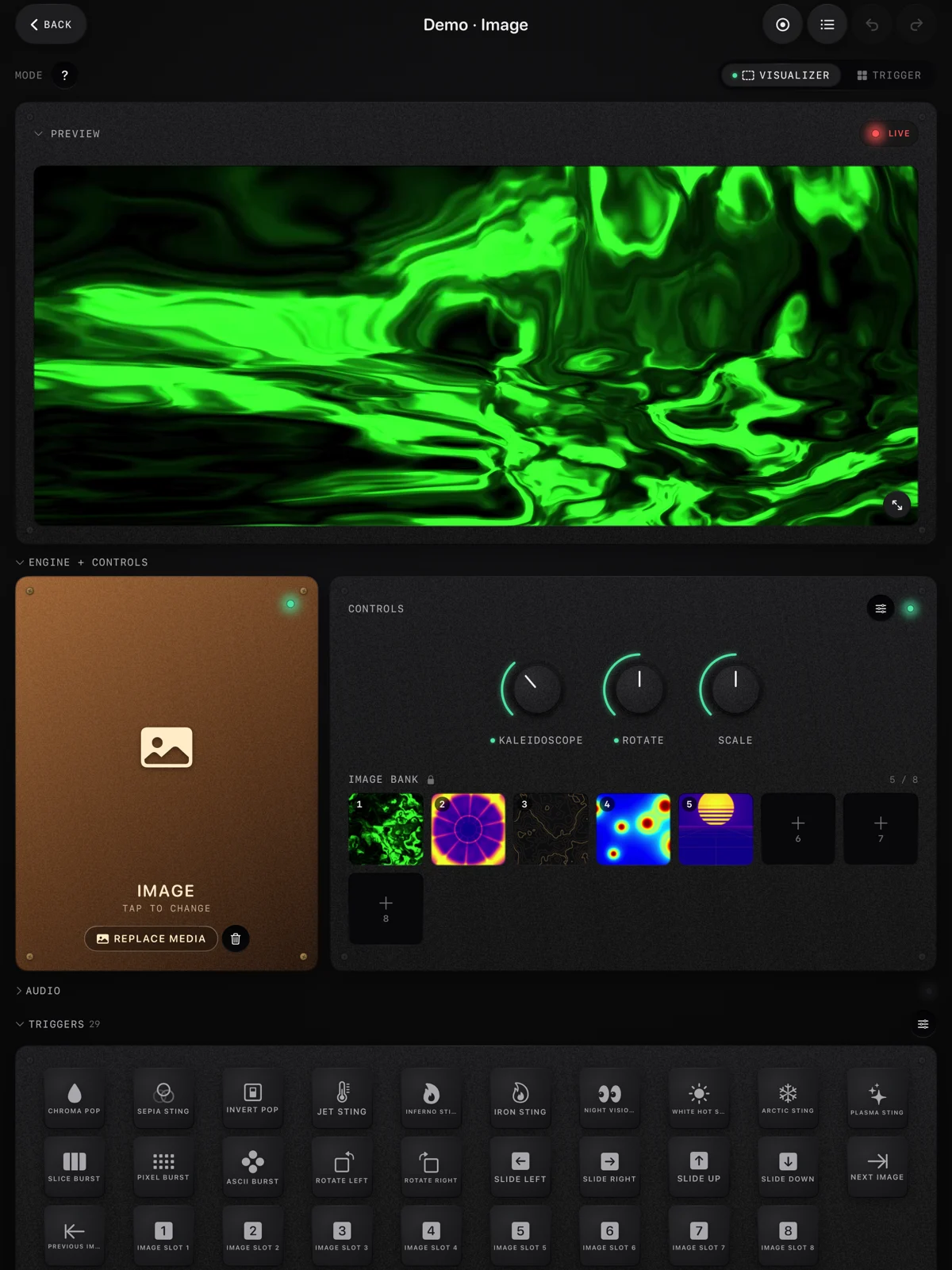
A phone or a tablet will not match a desktop graphics card for heavy 3D, and none of these apps pretend to. What they win on is setup time: a device you already carry, a screen out over HDMI or AirPlay, and a set that starts when you open it.
What you give up when you leave
Every alternative above is narrower than TouchDesigner, and that is the trade you are making. Before you switch, check the short list of things only a general tool does.
- One patch for every input. Audio, MIDI, OSC, cameras, depth sensors and data files all arrive in the same place. The alternatives each take a subset: nearly all take audio and MIDI, and few take sensors.
- Any output you can describe. Several projectors, odd resolutions, an LED wall with its own pixel map. The paid TouchDesigner licences are made for that, while an iPad drives one external screen.
- Years of tutorials. TouchDesigner has a deep library of community tutorials and shared components behind it. Most of the tools here have a manual and a forum.
- A way out of any corner. When a finished tool lacks a feature, you wait for an update. In a node environment, you build the feature yourself that evening.
If none of those is on your list, you are paying the learning curve for flexibility you will not use, and one of the alternatives will get you to a finished visual sooner. If two of them are, stay, and spend the time on the curve instead.
Where to get it
- Free live audio visualizer. ImmerGround's effects and mappings in your browser, with your mic or a song, on a clip or a photo. Nothing to install and nothing uploaded, so it is the quickest test of whether a mapping list is enough for you.
- ImmerGround. iPhone, iPad and Mac. Free to download; ImmerGround Pro is $6.99 a week or $39.99 a year.
- cables.gl and Hydra. Free, in the browser: nodes or code.
- Synesthesia and Imaginando VS. Music visuals with the analysis built in, on macOS and Windows, and VS 2 on iPad.
- TouchDesigner. Still the right tool for generative 3D, sensors and large installations. The Non-Commercial licence is free.
What to do next
- Name your reason for leaving: the learning curve, the licence, or the platform. It decides the group.
- If it is the learning curve and the goal is music visuals, try the browser visualizer, read our guide on VJ software for beginners and our comparison of Resolume vs TouchDesigner, then Synesthesia's trial for abstract scenes.
- If it is the licence, check whether your work is really commercial. If it is not, TouchDesigner's free tier, cables.gl, vvvv and Hydra cost nothing.
- If it is the platform, decide whether the iPad is a controller or the whole rig, and read the iPad roundup before you buy.
- Keep TouchDesigner installed. The day you need a sensor or a 3D scene, it is still the tool.