Synesthesia is one of the best-looking music visualizers you can run live: a library of shader scenes that react to the sound, a marketplace of more, and a live-coding editor for your own. It is also $199 or $399, it wants a computer with a proper graphics card, and it does not run on an iPad or a phone. If one of those is the reason you are looking elsewhere, the right alternative depends on which one. This guide covers what Synesthesia does well and where its limits are, a table of fourteen alternatives with prices checked on their own sites, the free generative visualizers, the tools for people who like writing shaders, the clip-based tools that move your own footage, the options that need no laptop at all, and where the usual advice about choosing goes wrong.
Why people look past Synesthesia: price, a graphics card, and no phone
Synesthesia's own pricing page is clear about the tiers. The trial is free, is not time-limited and needs no sign-up, but its output carries a watermark. Standard costs $199 for one active device and Pro $399 for two, both one-time, with a year of updates included and $60 a year after that, although the page notes that the update limit is not currently enforced. The licence has to sync online every 30 days.
The tiers matter more than the headline prices. MIDI control and Syphon or Spout output are in every tier, and custom scenes and Shadertoy or ISF import start at Standard. But the video FAQ says Standard is limited to 1080p, and NDI in and out, OSC control, Syphon and Spout input and unlimited resolution are Pro features. If you need to send the picture to another program over NDI, the real price is $399.
| Synesthesia tier | Price | What it adds |
|---|---|---|
| Trial | Free, no time limit | The built-in scenes, MIDI, Syphon and Spout output; the output is watermarked |
| Standard | $199 once, one device | No watermark, custom scenes, Shadertoy and ISF import; up to 1080p |
| Pro | $399 once, two devices | Unlimited resolution, NDI in and out, OSC, Syphon and Spout input, audio reactivity controls |
The other reasons come up just as often:
- A graphics card. The FAQ recommends a dedicated graphics card, names an Nvidia GTX 1060 as a good baseline and requires OpenGL 3.3. Apple Silicon Macs are supported and, in the company's words, highly performant.
- No iPad or iPhone. It runs on macOS 10.15 or later with 2018 or newer hardware, and on Windows 10 and 11. There is no mobile version.
- Audio routing on a Mac. It listens to a microphone or an audio interface. On Windows it can take the computer's own sound; on a Mac, the audio FAQ points you to a virtual audio device such as BlackHole or Loopback to visualise music playing on the same machine.
- No built-in recording. The video FAQ suggests Syphon Recorder on a Mac or OBS with Spout on Windows to capture the output.
What Synesthesia does well, so you know what you are replacing
It is worth being fair to it before replacing it, because some of its strengths are rare. The site describes it as an all-in-one music visual tool for DJs, VJs, streamers, coders and artists, and it ships with 80 built-in scenes plus more than 20 free ones on its scene marketplace. Scenes are GLSL shaders, so they are generated live rather than played from video files, and each has its own controls. You can import shaders from Shadertoy and ISF, write your own in a live-coding editor, and bring in videos, logos and a webcam.
The audio analysis is detailed too. Its documentation lists four frequency bands, bass, mid, mid-high and high, plus beat detection, a BPM reading from 50 to 220, hits, presence and oscillators synced to the tempo. That is why its scenes feel locked to the music. Any alternative you pick will trade some of this away, and the question is which part you can live without.
Fourteen alternatives at a glance
Prices and platforms below are from each vendor's own pages, read in September 2026. Where a vendor showed euros, the price is in euros. The column that decides most choices is the third one: some tools generate their pictures from code, and others move footage you bring.
| Tool | Price | What it makes | Runs on |
|---|---|---|---|
| Butterchurn | Free, open source | MilkDrop presets, generated | Any browser |
| projectM | Free, open source | MilkDrop presets, generated | Windows, macOS, Linux, Android, web |
| NestDrop | Classic free; Midnight $50; Midnight Pro $75 | MilkDrop presets for VJs, up to four decks | Windows only |
| Plane9 | Free | 3D scenes and a screensaver | Windows only |
| KodeLife | €34.99 one-time | Shaders you write | macOS, Windows, Linux; mobile sold separately |
| Hydra | Free, open source | Live-coded video synthesis | Any browser |
| cables.gl | Free | Node-based patches | Browser, plus a standalone app |
| TiXL (formerly Tooll3) | Free, open source | Node-based motion graphics | Windows; Mac and Linux in progress |
| TouchDesigner | Non-Commercial free; Commercial $600 | Anything you can build | Windows, macOS |
| Resolume Avenue | €299 | Your clips, mixed in layers | Windows, macOS |
| VDMX6 | $199.99 | Your clips and generators, modular | macOS 13 and later |
| Magic Music Visuals | Studio $44.95; Performer $79.95 | Node-based visuals from audio | Windows, macOS |
| Imaginando VS | €129 desktop; $39.99 on iPad | A visual synthesizer played from audio and MIDI | macOS, Windows, iPad |
| ImmerGround | Free to download; Pro $6.99 a week or $39.99 a year | Your clips and photos, moved by music and MIDI | iPhone, iPad, Mac |
Free and generative: MilkDrop's heirs and a browser tab
If what you love about Synesthesia is abstract visuals that dance to any song with no setup, the free options are older than it and still good. Most of them descend from MilkDrop, the Winamp visualizer whose thousands of community presets are still being played.
Butterchurn
Butterchurn is a WebGL implementation of MilkDrop that runs in a browser tab. It is free and open source under the MIT licence, and it listens through the Web Audio API, so a microphone or an audio element drives it. Open the demo site, allow the microphone, and you have a working visualizer in seconds. There is nothing to record with and no MIDI, but for a party screen it is hard to beat for the price.
projectM
projectM is the open source reimplementation of MilkDrop, licensed under the LGPL, with beat detection and frequency analysis driving the same presets. It is mainly a library that other programs build on, and its own project page describes its frontends as development previews that are not feature-complete. It suits the technically curious more than someone who wants a finished app tonight.
NestDrop
NestDrop turns MilkDrop into a VJ tool: around 1,900 presets across up to four decks, with Spout output in every version. Classic is free; Midnight at $50 adds full screen output, and Midnight Pro at $75 adds NDI, OSC, Ableton Link and ASIO audio. It is Windows only.
Trying MilkDrop presets in five minutes
- Open Butterchurn's demo in a browser on the computer that will drive the screen.
- Allow the microphone and play music out loud, or point it at a song playing in another tab through the speakers.
- Step through presets with the keyboard and note the handful that suit your music; most sets need five or six, not thousands.
- Go full screen on a second display and let it run for a whole song, to see how the presets behave in the quiet parts as well as the loud ones.
If that is enough for your party or stream, you have saved $199. If it feels random after twenty minutes, that is useful too: it tells you that you want control over what appears, which points to the clip-based tools below.
Plane9
Plane9 is a free 3D visualizer and screensaver with more than 250 scenes that react to any sound source, for Windows 7 to 10. Its last release listed on the download page is from December 2016, so treat it as finished software rather than a maintained one.
If you like writing shaders: KodeLife, Hydra, cables.gl, TiXL and TouchDesigner
Synesthesia's live-coding editor is a big part of its appeal for people who write GLSL. If that is you, you may not need the scene library at all.
- KodeLife. Hexler's real-time shader editor, which it describes as Shadertoy for your desktop. It costs €34.99 once for all desktop platforms, macOS, Windows and Linux including the Raspberry Pi, with the iOS and Android versions sold separately, and the downloads have no restrictions for trying it. It outputs over Syphon and Spout.
- Hydra. A free, open source video synth you live-code in the browser, with microphone frequency analysis through the Meyda library and video input. Its readme calls browser support experimental and recommends Chrome or Chromium.
- cables.gl. Node-based visual programming in the browser, now open source, with a standalone app for offline work and MIDI support. Its site promises it will always be free.
- TiXL. The open source motion graphics tool formerly called Tooll3, free under the MIT licence. It runs on Windows 10 and 11 with a DirectX 11.3 graphics card, with a native Mac and Linux port in progress, and it has Spout and NDI in and out, OSC and MIDI.
- TouchDesigner. The deepest option of all. The Non-Commercial licence is free but limited to 1280 by 1280 and not for paying projects; Commercial costs $600. Our guide to TouchDesigner alternatives covers what that learning curve buys you.
The trade with all of these is time. Synesthesia gives you 80 finished scenes on day one; a shader editor gives you a blank file and total freedom. If you are not planning to write code, skip this group.
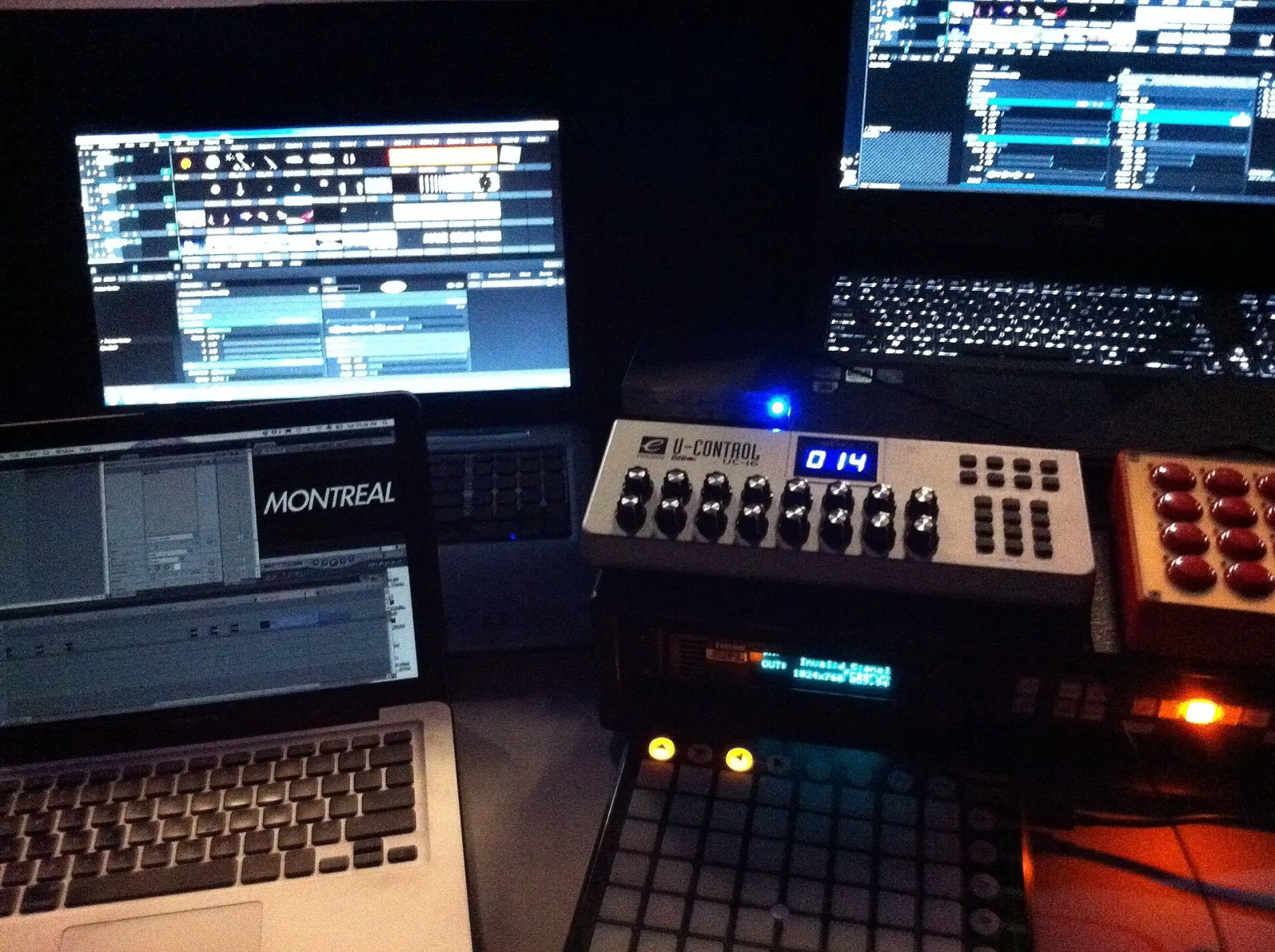
If you want your own footage to move: Resolume, VDMX and Magic Music Visuals
A different reason people leave Synesthesia is that generated scenes are not what they want on the screen. They want their own footage, a band's artwork, clips from a music video, moving with the music. That is a different kind of tool.
Resolume Avenue
Resolume is the standard clip-based VJ program: layers of clips and effects, mixed live, with audio analysis through an FFT that can drive any parameter. Avenue costs €299 per computer and Arena €799, with 12 months of updates; the trial is fully functional apart from a watermark and a robotic voice over the audio. Wire, its node-based tool for building your own effects and generators, is a separate €399 licence. It outputs over NDI, Syphon and Spout. Our guide to Resolume alternatives goes deeper on this group.
VDMX6
VDMX is the Mac's modular VJ program, a real-time video playground in its maker's words, with audio analysis and BPM detection, multi-monitor full screen output, Syphon, NDI and recording to disk. VDMX6 costs $199.99 and VDMX6 Plus $349; the demo does everything except save. It needs macOS 13 or later.
Magic Music Visuals
Magic is the closest in spirit to Synesthesia among the cheap options: a node-based environment built specifically to turn audio into visuals, for Windows and macOS. Studio costs $44.95 for one computer and Performer, for live use, $79.95, both one-time. Its free demo has almost all Performer features with saving disabled. Its website blocks automated checks, so confirm these prices on the site before you buy.
What your own footage needs to work
Clip-based tools are only as good as the clips. Footage that works under audio-reactive effects has three things in common: a clear subject against a darker background, so zooms and colour effects have something to act on; slow or steady movement, so the effects rather than the camera provide the energy; and enough length to loop without the join showing. Ten minutes of footage shot for the purpose, a few slow pans across a crowd, hands on instruments, the venue's lights, is often worth more than hours of stock video. If you have nothing yet, our free VJ loops fill the gap while you shoot your own.
Without a laptop: iPad and iPhone options
None of the pages that rank for Synesthesia alternatives cover this, and it is the gap we know best, because it is what we build. A phone or tablet has a strong graphics chip, a microphone and a screen output, which is most of what a visuals rig needs.
- ImmerGround. Our app, for iPhone, iPad and Mac. It listens through the microphone or to a song file, measures the bass, mids, highs, loudness and every beat, and moves your own clip or photo with them through effects such as the thermal looks, glitch, kaleidoscope, zoom and strobe. A class-compliant MIDI controller fires looks from pads, the output goes to a second screen over HDMI or AirPlay, and every session is recorded, with a re-render later at up to 4K in 16:9. It is free to download, and ImmerGround Pro is $6.99 a week or $39.99 a year. It is not a shader tool, it has no scene marketplace, and it does not send its picture out over NDI or Syphon.
- Imaginando VS on iPad. A visual synthesizer played from audio and MIDI, with layers of shaders, text, images, video and live input. VS 2 was $39.99 on the US App Store when we checked; the desktop version is €129, or €9.90 a month towards owning it, with NDI, Syphon and Spout output up to 4K at 60 frames a second.
- KodeLife on iOS. The same shader editor as the desktop version, sold separately, if you want to write shaders on a tablet.
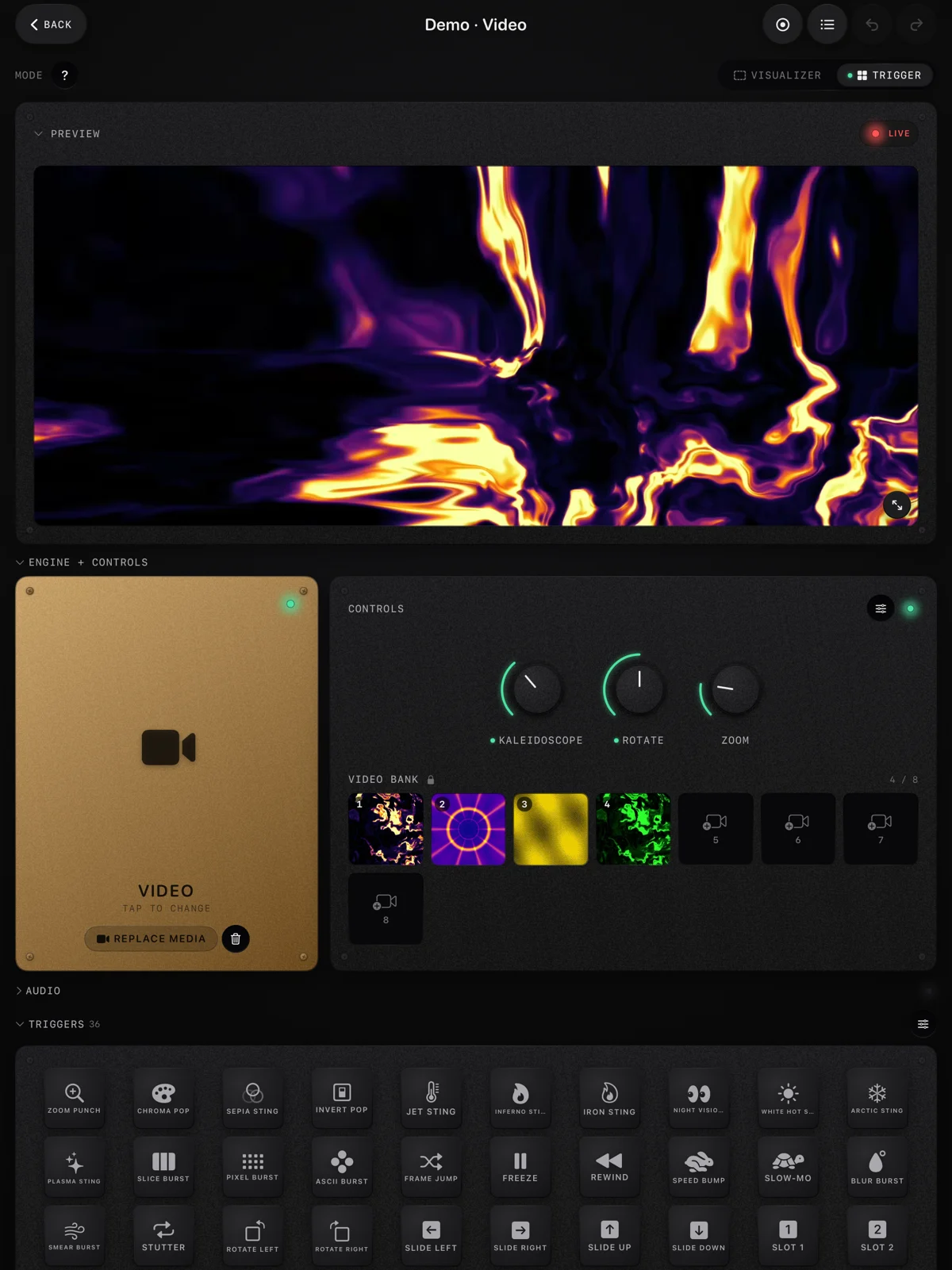
Before installing anything, our free live audio visualizer shows the idea in a browser: your microphone or a song, the app's effects on a clip, a photo or a scene drawn in code, and a recording of up to 60 seconds with a small immer ground mark in the corner. It is the quickest way to find out whether you want generated scenes or your own footage.
Where the usual advice breaks: scenes are not the whole show
Most comparison pages rank visualizers by how impressive their built-in scenes look. That is a fair test for a screensaver and a poor one for a show, for three reasons.
- Generated looks all start to resemble each other. A room that has seen an hour of flowing shader tunnels has seen the tool, not you. Your own footage, a band's artwork or a few clips shot for the night make the screen belong to the performance. If that matters to you, a clip-based tool or an app that moves your own photos will do more than a bigger scene library.
- The audio path decides more than the scene. A visualizer that cannot hear the music cleanly reacts to noise. On a Mac without a virtual audio device, a desktop tool listens to a microphone; a device placed where it can hear the speakers, or fed the song file itself, often reacts more cleanly than a laptop in the booth.
- Recording is part of the job now. A set that is not recorded does not exist on social media the next day. A tool that records its own output saves you a capture setup and a second piece of software.
A quick way to decide
Ask what should be on the screen when the music drops. If the answer is "something beautiful and abstract", a generative tool, free or Synesthesia itself, is the right kind. If it is "the band", "the artist's artwork" or "footage from tonight", you want a tool that moves your own clips. If it is "whatever I decide in the moment", you want MIDI control over looks, and any tool in the table with a controller will do. Most people who leave Synesthesia unhappy were in the second group and bought a tool for the first.
The honest limit of every tool here, ours included, is that none of them makes the creative choices for you. A good set of visuals comes from deciding what the screen should say during each part of the music, and no scene library or effect list replaces that.
Where to get it: free tools and the app
- Free live audio visualizer. In your browser, free: your mic or a song, the app's effects on a clip, a photo or a scene drawn in code, and a recording of up to 60 seconds with a small immer ground mark. Nothing is uploaded.
- Free VJ loops. Loops made with ImmerGround's effects, 4K and 1080p, 120 BPM, CC0, no email: footage for any of the clip-based tools above.
- MIDI tester. Free, in Chrome, Edge or Firefox on a computer. Check what your controller sends before you map it in any of these programs.
- ImmerGround for iPhone, iPad and Mac. Our app, free to download; ImmerGround Pro is $6.99 a week or $39.99 a year. Your clips and photos, moved by music and MIDI, recorded, on a second screen.
What to do next
- Name the reason you are leaving. Price, the graphics card, no phone, or wanting your own footage: each points to a different group above.
- Try a free generative tool first. Butterchurn in a browser tab costs nothing and shows whether abstract visuals are enough for your show.
- If you want your own footage, test with a real clip. Load a clip you would actually use into the visualizer or a clip-based tool's demo and play your music through it.
- Check the audio path before the gig. Whatever you choose, confirm it can hear the music cleanly where you will set up.
- Record the first set you play with it. Watching it back shows faster than anything which parts of the screen worked.