Press kit
Last updated · September 24, 2026
Everything needed to write about ImmerGround without asking first. Quote freely. For interviews, review builds or footage, email support@immerground.com.
In one line
ImmerGround is a hardware-grade studio for audio-reactive visuals on iPhone, iPad and Mac.
In one paragraph
ImmerGround turns sound into vision in real time. Bring audio from your microphone, an audio file or an external MIDI controller, map any signal to any parameter on the Metal-rendered video and image engines, and perform the result on your screen, an external display or a recorded MP4. Every session records the event timeline and the video, and any saved session can be re-rendered offline at studio resolution. Built natively in SwiftUI and Metal, with the kind of hardware-inspired chassis you would expect on the desk, not in an app.
Catchphrase
“An immersive ground for sound and vision.” Use it as written. The name is one word, ImmerGround; the wordmark reads IMMER · GROUND.
Facts
| Developer | Cuma Ali Kesici (independent) |
|---|---|
| Platforms | iPhone (iOS 18+), iPad (iPadOS 18+), Mac (native, Apple Silicon, macOS 14+). One app, one listing. |
| Price | Free to download. ImmerGround Pro: $6.99 a week or $39.99 a year. |
| First release | 1.0.0, June 3, 2026 |
| Current version | 1.0.0, June 3, 2026 |
| Inputs | Microphone, audio files (MP3, WAV, AAC, M4A), MIDI controllers over USB-C or Bluetooth |
| Output | On-device, HDMI or AirPlay to a second screen, real-time MP4, offline re-render at any resolution |
| App Store | https://apps.apple.com/app/id6774410300 |
| Contact | support@immerground.com |
Assets



Screenshots
The app on iPad and iPhone with the demo projects that ship inside it (WebP, 1200 pixels wide). Full-resolution PNGs and short clips on request. Please do not stretch, recolour or add effects to the icon or the logo.
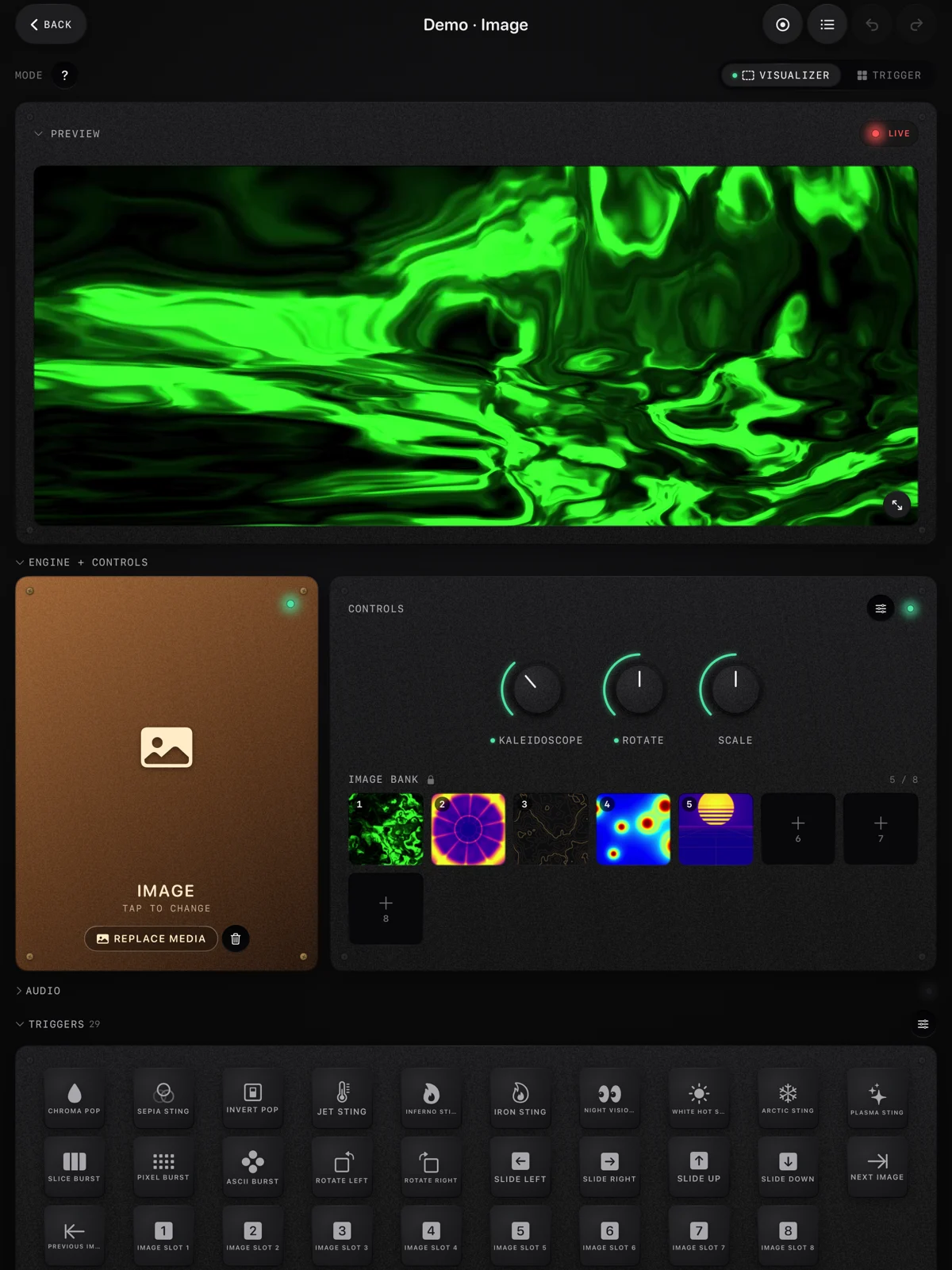 The workspace on iPad: preview, engine, knobs and an image bank
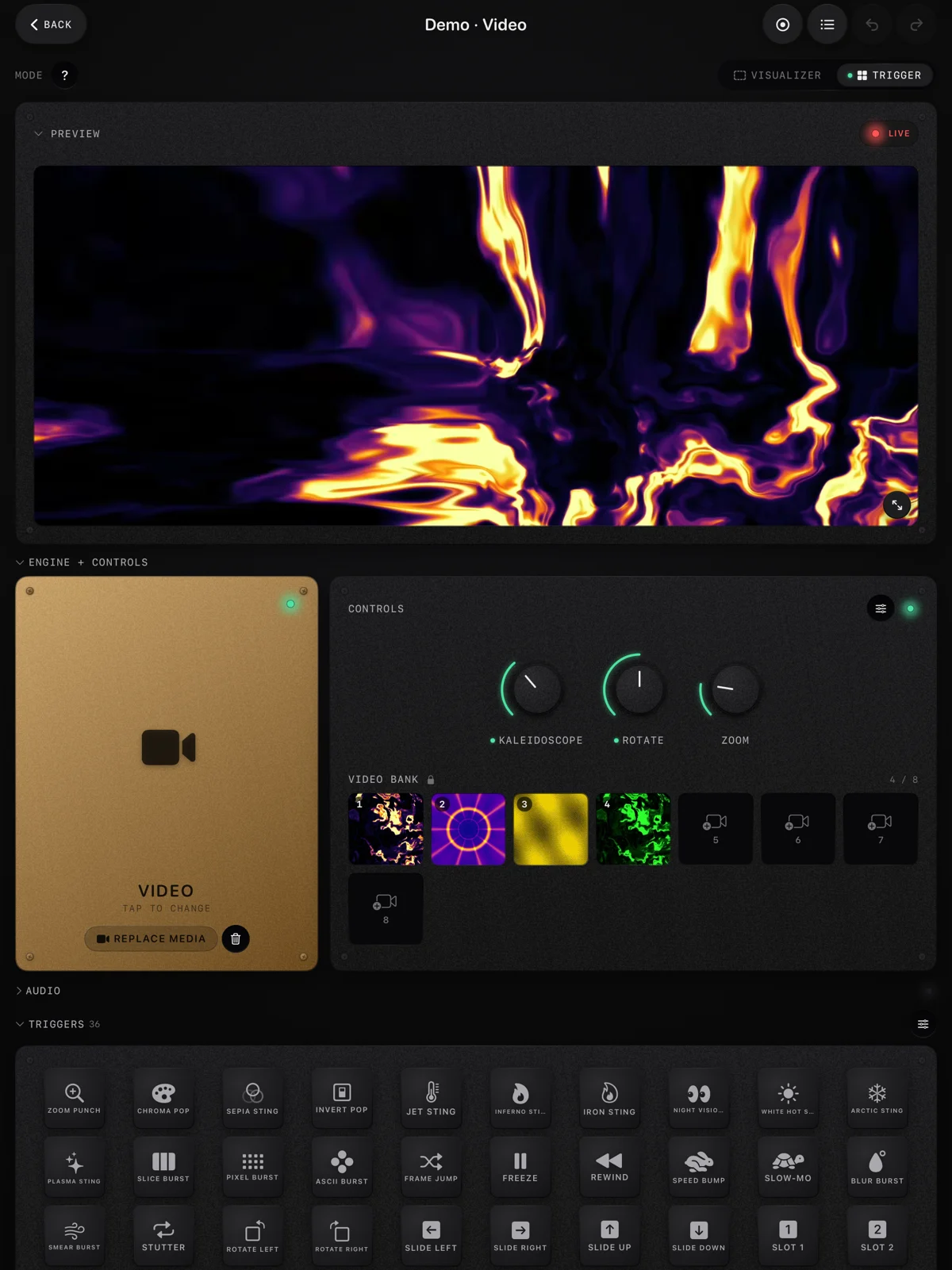 Trigger mode: a bank of clips and 36 pads of stings and time effects
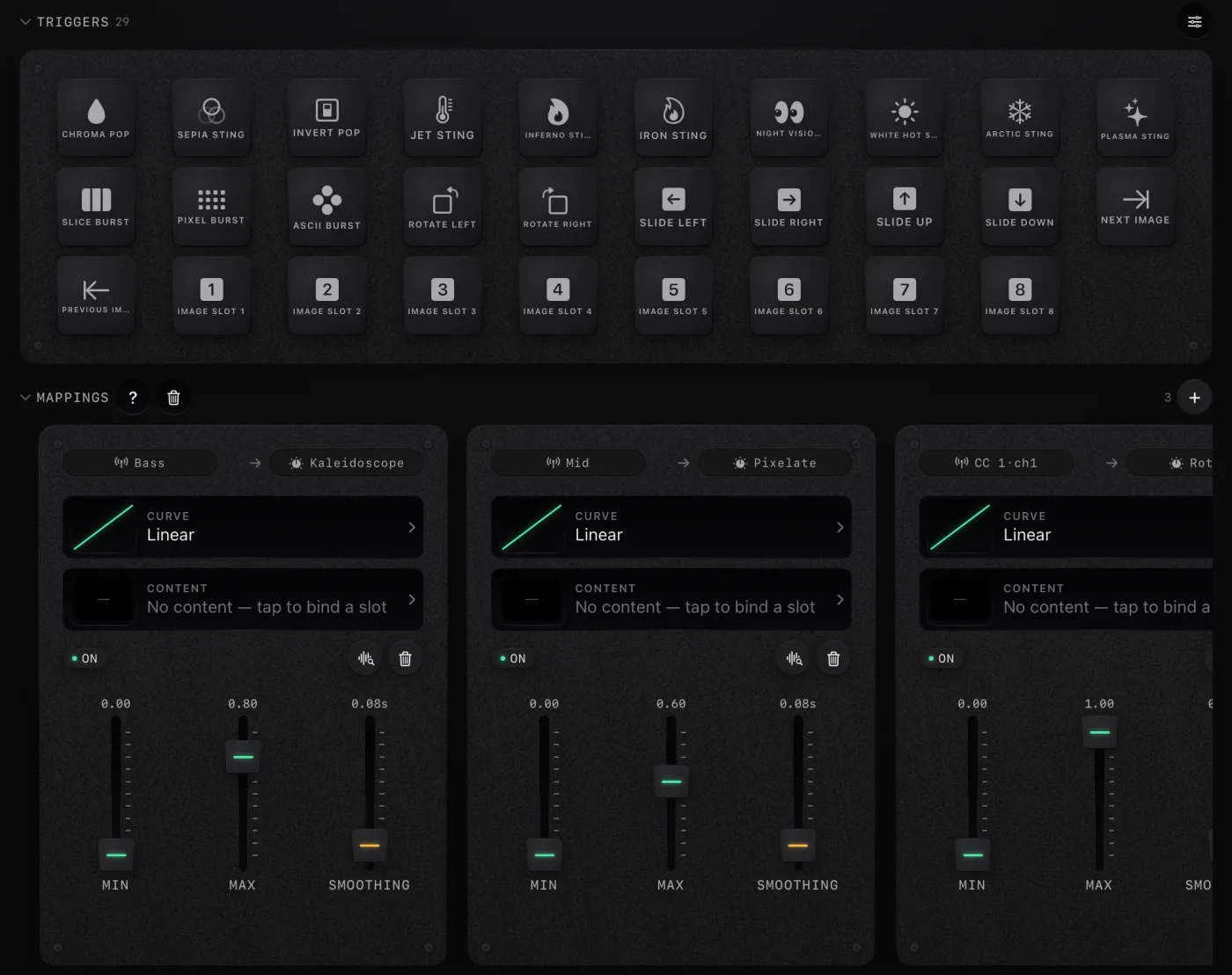 Mappings: any sound or MIDI control to any effect
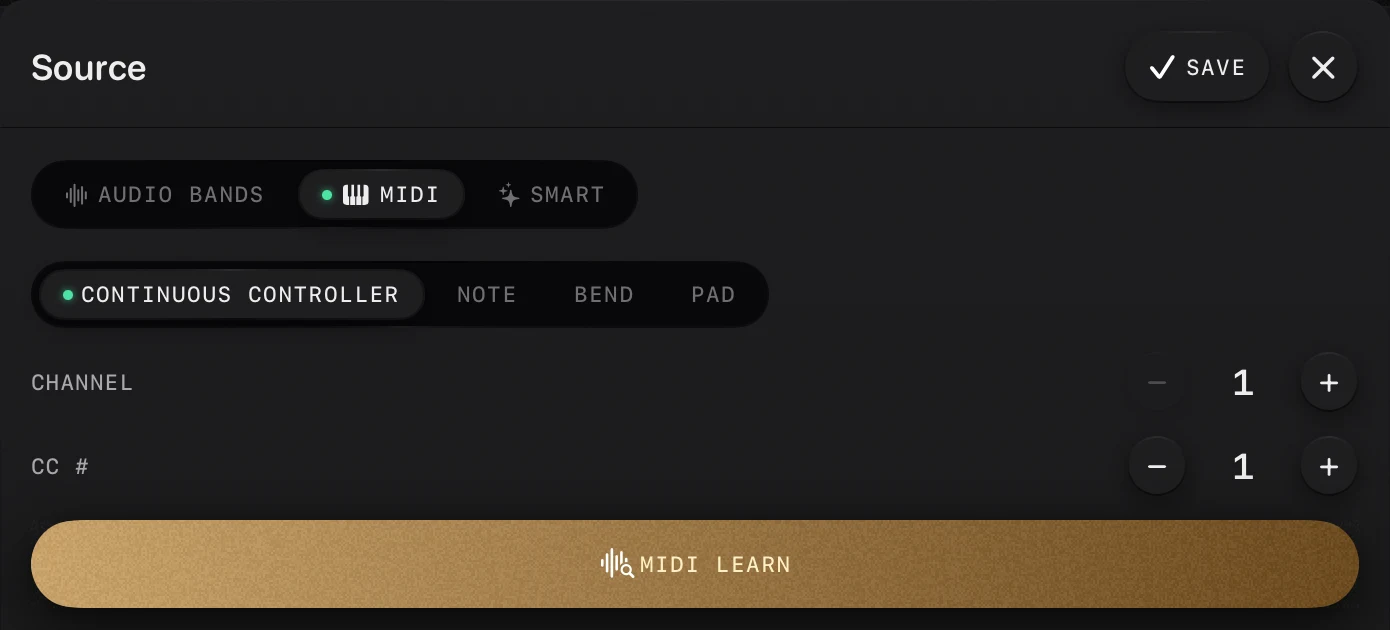 MIDI Learn: move a control and it is mapped
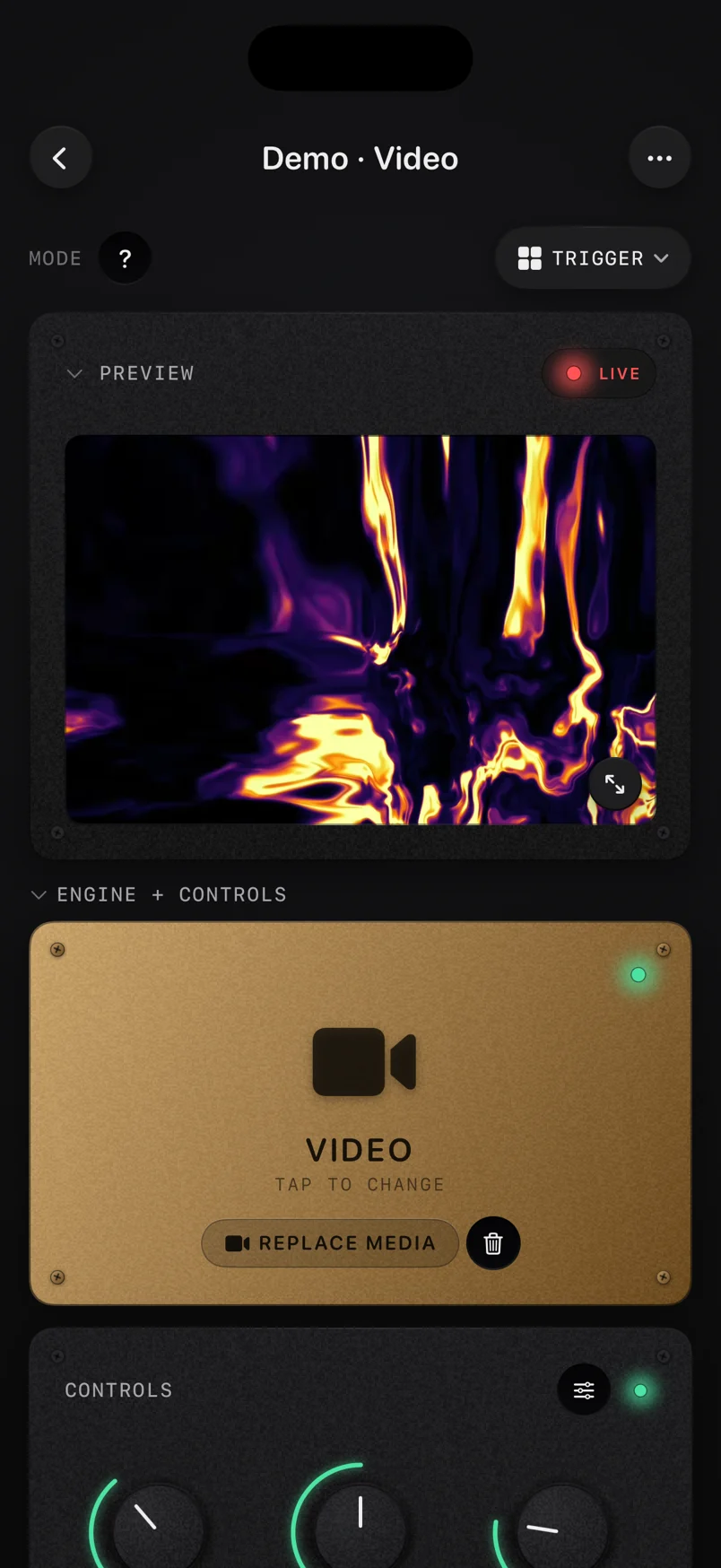 The same workspace on iPhone
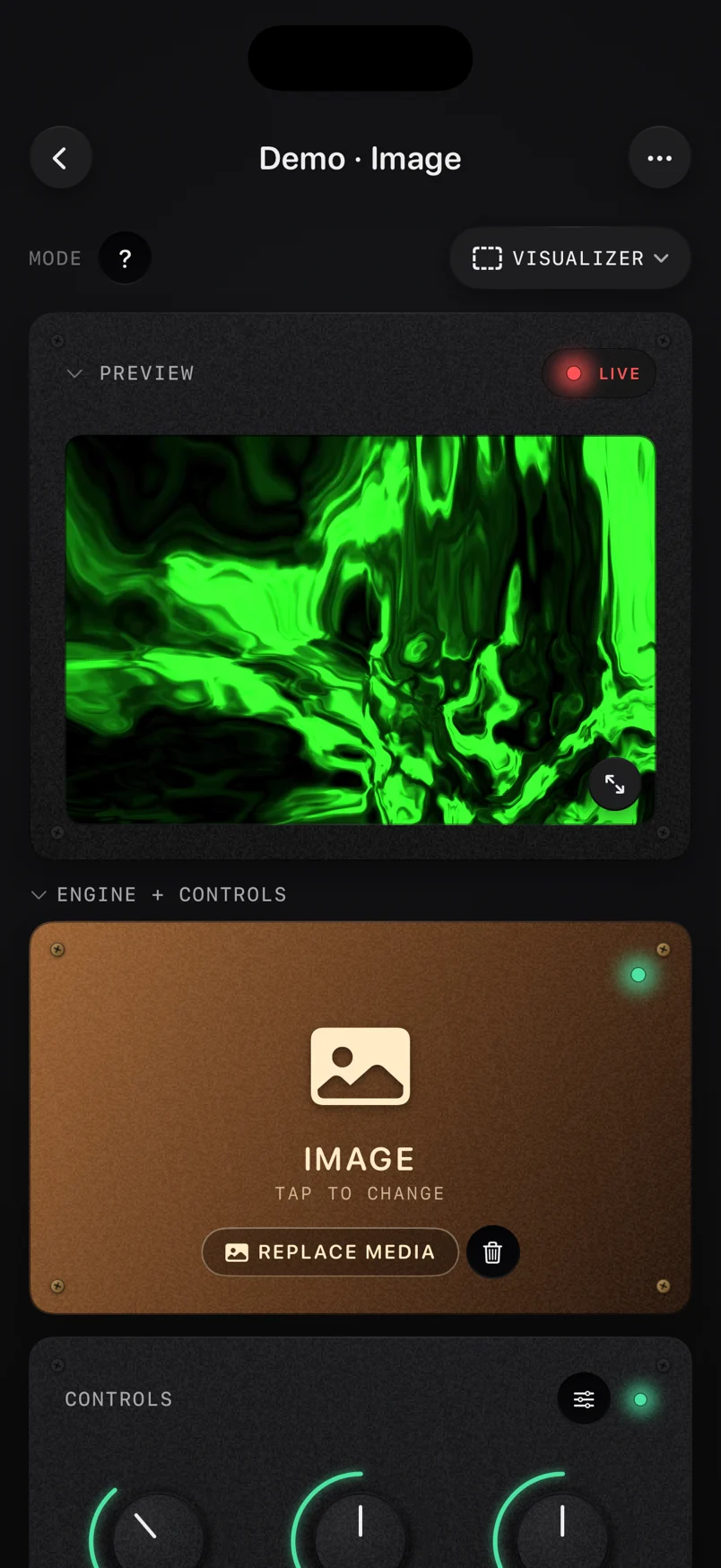 The image engine on iPhone
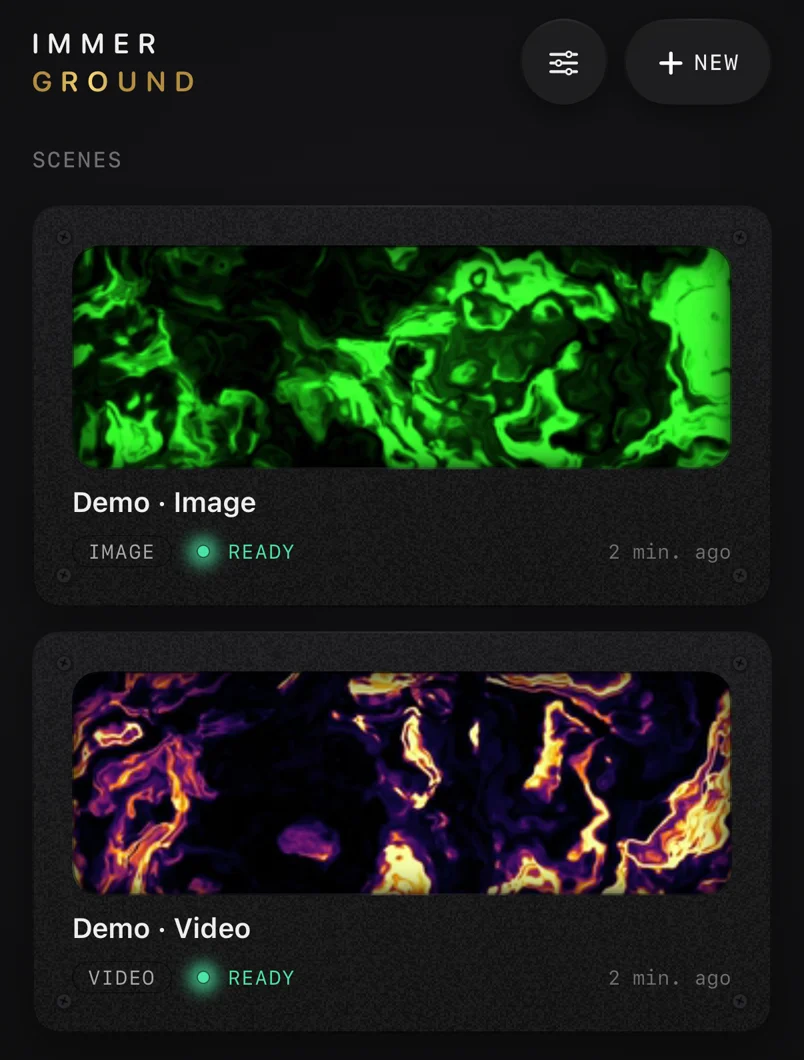 Your projects on iPhone, each with its own clip or photo
Where to point readers
The App Store listing (download link), the changelog for what shipped when, and the blog for guides and honest comparisons.