ImmerGround utilizes the Apple Vision framework to map subject coordinates directly to generative visual effects in real time. This tracks performers across the frame and binds their movement to fragment shaders without requiring dedicated external sensors, routing data straight to the render engine on iOS and macOS.
Apple Vision Framework Integration in ImmerGround
ImmerGround implements the Vision framework to execute computer vision requests against incoming camera buffers. The application intercepts CVPixelBuffer data from the capture session and routes it through a VNSequenceRequestHandler.
This pipeline allows continuous tracking across sequential frames, building a motion trajectory rather than static frame analysis. The core tracking loop relies on VNTrackObjectRequest and VNTrackRectangleRequest objects.
When a user defines a target area, ImmerGround generates a starting bounding box. The application submits this observation to the sequence handler.
The Vision framework processes the frame using the Neural Engine, returning updated bounding box coordinates for the target in subsequent frames. This process happens asynchronously to avoid blocking the main render loop.
Tracking accuracy depends on the resolution of the incoming buffer. ImmerGround downscales 4K camera input to 1080p or 720p before submission to the Vision framework.
This reduces memory bandwidth requirements and lowers inference time on the Neural Engine. The scaled CVPixelBuffer enters the CoreML model, which computes feature maps and outputs the updated spatial coordinates.
0, with the origin at the bottom-left. ImmerGround maps these normalized coordinates to the Metal viewport coordinate system.
The application applies a matrix transformation to account for device orientation, camera mirroring, and aspect ratio differences between the camera feed and the output screen. Memory management requires strict control during continuous tracking.
Unreleased pixel buffers will stall the capture queue. ImmerGround uses a dedicated concurrent dispatch queue for tracking requests.
The system caches the VNSequenceRequestHandler and reuses it across frames to avoid the overhead of instantiating new handlers. When tracking stops, the handler drops its state, and the application flushes the pending requests.
The implementation also features fallback logic. If the Vision framework loses the subject due to rapid movement, ImmerGround retains the last known coordinate.
It applies a damping function to prevent erratic jumps in the visual output. The system continually attempts to reacquire the subject based on the last known trajectory, using a predictive vector calculation.
This integration removes the need for external tracking suits or IR cameras. The device camera captures the scene, the Neural Engine processes the frames, and ImmerGround passes the tracking data directly to the shader pipeline.
This tight coupling ensures low latency between physical movement and visual reaction. To optimize performance, developers can configure the tracking level of the VNTrackObjectRequest.
Setting the level to fast prioritizes speed over accuracy, suitable for high-speed tracking where exact bounding box dimensions are less critical. Setting it to accurate forces the Neural Engine to perform deeper analysis, which is useful when tracking complex shapes but requires more processing time.
ImmerGround balances these modes dynamically. During high-motion sequences, the application switches to fast tracking to maintain a high frame rate.
When the subject slows down, the system reverts to accurate mode to refine the bounding box. This adaptive scheduling maximizes both visual fidelity and performance.
Subject Lock Mechanics in Motion Footage
Subject Lock isolates a specific performer or object within the frame, ignoring background movement and secondary subjects. This mechanic relies on initial targeting.
The user taps the screen to specify the subject. ImmerGround captures the pixel data within that region, creates a feature print, and initializes the tracker.
Once locked, the system filters out extraneous motion. It evaluates the optical flow around the subject.
If the background shifts due to camera movement, the tracker compensates by subtracting the global motion vector from the subject's local motion vector. This keeps the visual effects anchored to the performer, even if the camera operator pans or tilts.
Foreground locking handles occlusion. When an object passes between the camera and the subject, the tracker may lose the primary target.
ImmerGround mitigates this by maintaining a confidence score for the tracked observation. If the score drops below a specific threshold, the application suspends coordinate updates.
It uses a Kalman filter to estimate the subject's position based on its previous velocity and acceleration. When the occlusion clears, the Vision framework typically reacquires the subject.
The system verifies the feature print against the new observation. If they match, ImmerGround resumes normal tracking.
If the match fails, the tracker resets, and the user must re-initiate the lock. For dancers and fast-moving performers, the bounding box often changes shape.
A dancer extending their arms increases the width of the observation. ImmerGround calculates the centroid of the bounding box rather than relying on the edges.
The centroid provides a stable anchor point for visual effects, preventing the effects from jittering as the performer changes posture. Users can configure the sensitivity of the Subject Lock.
High sensitivity tightly binds the effects to every micro-movement. Low sensitivity applies a low-pass filter to the tracking data, smoothing out the motion and creating a fluid, trailing effect.
This adjustment happens via a slider in the user interface, which modifies the damping coefficient in the tracking pipeline. The isolation process also involves contrast analysis.
Subjects with high contrast against the background track more reliably. If the subject blends into the environment, the feature print lacks distinct edge data.
In these cases, ImmerGround increases the contrast of the internal tracking buffer before submitting it to the Vision framework. This preprocessing step improves lock stability without altering the final video output.
Multi-subject tracking is possible but requires more processing power. ImmerGround can instantiate multiple VNTrackObjectRequest objects within the same sequence handler.
However, each additional target increases the inference time. The application limits concurrent tracking to three subjects to maintain a stable 60 frames per second on current hardware.
The Subject Lock data routes to a central variable pool. Shaders access this pool to retrieve the X and Y coordinates, the width and height of the bounding box, and the confidence score.
This decoupling allows users to change visual effects without breaking the tracking lock. The data flows continuously, regardless of which effect is currently active on the output screen.
Reactive Tracking Effects
Reactive effects bind the output of the Vision framework to shader parameters. The X and Y coordinates of the tracked subject act as dynamic uniforms.
When the subject moves across the stage, the effects follow, scale, or distort based on that movement. One primary application is coordinate binding.
A shader can render a geometric shape, such as a sphere or a grid distortion. ImmerGround maps the subject's centroid to the origin of that shape.
As the performer walks left, the shape translates left on the output screen. This creates a direct visual tether between the physical action and the digital rendering.
Thermal looks utilize the bounding box dimensions. ImmerGround applies a gradient map to the area inside the tracking box.
The application maps the center of the box to the highest temperature color, usually white or bright yellow, and fades to cooler colors towards the edges. This isolates the thermal effect to the performer, leaving the background unaffected.
Glitch effects trigger based on motion velocity. ImmerGround calculates the speed of the subject by comparing coordinates between frames.
If the speed exceeds a defined threshold, the application fires a trigger. This trigger activates a displacement shader, causing the video feed to tear and distort.
When the subject stops moving, the velocity drops, and the glitch effect subsides. Zoom mechanics also tie to the tracking data.
By linking the bounding box size to the camera's field of view parameter, the output can automatically frame the subject. If the performer moves closer to the camera, the bounding box grows.
ImmerGround reads this increase in size and scales the output frame down, maintaining a consistent subject size on the screen. Distortion fields map to the coordinate center.
A bulge or pinch filter requires a center point and a radius. ImmerGround passes the subject's X and Y coordinates as the center point.
It maps the bounding box width to the radius. This creates a distortion field that perfectly encapsulates the performer and moves with them across the stage.
Color isolation works by passing the bounding box coordinates to a masking shader. The shader renders the area inside the box in full color while converting the area outside the box to grayscale.
This highlights the tracked subject and diminishes the background. Audio reactivity can combine with motion tracking.
ImmerGround takes the audio transient data and multiplies it by the motion velocity. If a dancer hits a pose exactly on a kick drum, the combined value spikes.
This combined value drives the intensity of a bloom or glow effect. The result is a visual burst that requires both physical movement and audio volume to trigger.
The parameter mapping interface allows users to define these relationships. A modulation matrix connects the tracking outputs (X, Y, Velocity, Width, Height) to the shader inputs (Scale, Rotation, Color, Distortion).
Users can adjust the minimum and maximum ranges for each mapping, scaling the physical movement to fit the desired visual output range.
Hardware Requirements for Machine Learning Tracking
Computer vision tracking relies heavily on the Apple Neural Engine. Older processors lack the dedicated silicon required to process video frames at 60 frames per second without overwhelming the CPU and GPU.
ImmerGround demands specific hardware architectures to maintain stable performance during live shows. The A-series chips in iPhones provide the baseline.
8 trillion operations per second (TOPS). This chip handles single-subject tracking at 30 frames per second efficiently.
The A17 Pro and A18 chips push this to 35 TOPS, allowing for multiple subject tracking and complex effect rendering simultaneously at 60 frames per second. The M-series chips in iPads and Macs offer significantly more memory bandwidth.
The M1 chip includes a 16-core Neural Engine delivering 11 TOPS. While the TOPS count is lower than newer A-series chips, the unified memory architecture allows faster transfer of CVPixelBuffers between the camera, the Neural Engine, and the GPU.
The M4 chip provides 38 TOPS, making it the most capable processor for complex, multi-layered tracking in ImmerGround. Memory capacity is critical.
Processing high-resolution video streams consumes RAM rapidly. 8GB of unified memory is the absolute minimum requirement.
16GB or more provides a buffer against memory pressure when running tracking alongside other applications, such as audio workstations or lighting control software.
| Chip Generation | Neural Engine Cores | Operations (TOPS) | Tracking Capability |
|---|---|---|---|
| A15 Bionic | 16 | 15.8 | Single subject, 30fps |
| A17 Pro | 16 | 35.0 | Dual subject, 60fps |
| M1 | 16 | 11.0 | Single subject, 60fps |
| M2 | 16 | 15.8 | Dual subject, 60fps |
| M4 | 16 | 38.0 | Multi-subject, 60fps |
Thermal throttling affects performance during long sets. The Neural Engine generates heat.
In passive-cooled devices like iPads and iPhones, sustained tracking will eventually lead to lower clock speeds. When the system throttles, the tracking frame rate drops, causing lag between the physical movement and the visual effect.
Active-cooled Macs handle sustained tracking better due to their fans. Camera hardware also dictates tracking quality.
The Vision framework requires sharp, well-exposed frames. Devices with larger camera sensors capture more light, reducing noise in low-light club environments.
Noise interferes with the feature extraction process, causing the tracker to drift or lose the subject entirely. External cameras via USB-C or HDMI capture cards provide alternatives.
A dedicated mirrorless camera with a fast lens feeds a cleaner signal to ImmerGround than built-in webcams. However, the capture card introduces latency.
The total round-trip time from the camera to the capture card, into ImmerGround, through the Vision framework, and out to the display must remain under 50 milliseconds for the tracking to feel responsive. Users must manage the USB bus bandwidth.
Connecting a 4K capture card, a MIDI controller, and an external SSD to a single USB-C hub can saturate the bus. This saturation causes dropped frames in the video feed, breaking the sequence handler and interrupting the tracking lock.
Connecting high-bandwidth devices to separate ports on a Mac mitigates this issue. For optimal results, users should deploy an M2 or newer Mac with 16GB of memory, utilizing a dedicated camera feed over a high-quality capture card.
This configuration provides the necessary compute power, memory bandwidth, and image quality for reliable, long-duration tracking in professional environments.
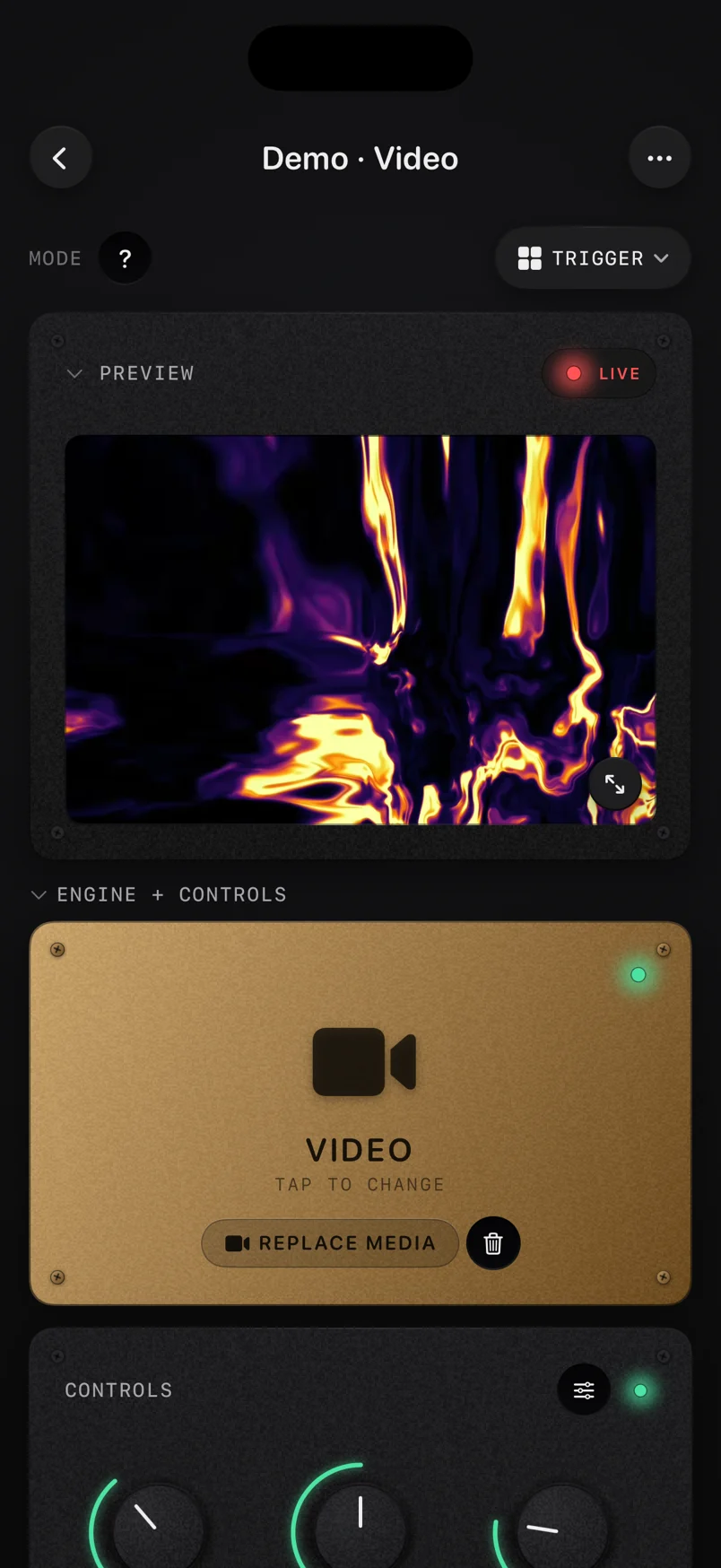
Stage Lighting and Contrast Optimization
Computer vision tracking fails without adequate lighting. The Vision framework relies on detecting edges, textures, and contrast gradients to build a feature print of the subject.
In a club or stage environment, lighting conditions change rapidly, presenting a severe challenge for consistent tracking. Strobe lights destroy tracking sequences.
A strobe burst completely blows out the exposure for one or two frames, followed by darkness. The sequence handler sees a white frame, then a black frame, and loses the subject entirely.
To counter this, visual operators must request a static lighting zone for the tracked performer. A dedicated spotlight provides constant illumination, allowing the tracker to maintain a lock even if the surrounding stage utilizes strobes.
Low light introduces sensor noise. Video noise consists of random, shifting pixels.
The Neural Engine misinterprets this noise as texture. As the noise shifts, the tracker attempts to follow it, resulting in a jittery bounding box.
ImmerGround cannot track a subject moving in complete darkness with standard RGB cameras. Contrast is the primary requirement.
The tracked subject must stand out from the background. A performer wearing black clothing against a black stage curtain offers zero contrast.
The feature extraction fails. Performers need to wear colors or reflective materials that separate them from the environment.
A white shirt against a dark background provides the sharpest edge data for the Vision framework. Exposure locking is mandatory.
If the camera operates on auto-exposure, it will adjust the brightness based on the entire scene. If a bright moving head light sweeps across the camera lens, the auto-exposure will plunge the rest of the scene into darkness, losing the subject.
Operators must lock the exposure and focus on the camera before initiating the tracking sequence in ImmerGround. Frame rate impacts light gathering.
A camera running at 60 frames per second has a maximum shutter speed of 1/60th of a second. This limits the amount of light hitting the sensor.
In dark environments, dropping the camera feed to 30 frames per second allows for a 1/30th of a second shutter speed, doubling the light input. This increases motion blur slightly but provides a cleaner image for the tracking algorithm.
Infrared (IR) lighting offers a solution for dark stages. IR cameras capture a clear, high-contrast image in complete darkness by utilizing IR floodlights.
The Vision framework processes grayscale IR feeds just as effectively as RGB feeds. An operator can mount an IR camera specifically for tracking, feed that signal into ImmerGround, and map the resulting coordinates to visuals rendered on the main display.
Backlighting creates silhouettes. If a bright LED wall sits behind the performer, the camera exposes for the bright screen, turning the performer into a dark shadow.
Tracking a silhouette is difficult because the internal texture of the subject disappears. Front lighting is essential.
A simple front wash or a follow spot ensures the performer's features remain visible to the camera sensor. Operators should test the tracking setup during soundcheck under show conditions.
The lighting designer must run through the cues to identify moments that might break the tracking lock. Establishing safe zones on stage where the lighting remains consistent allows the performer to interact with the reactive visuals reliably.
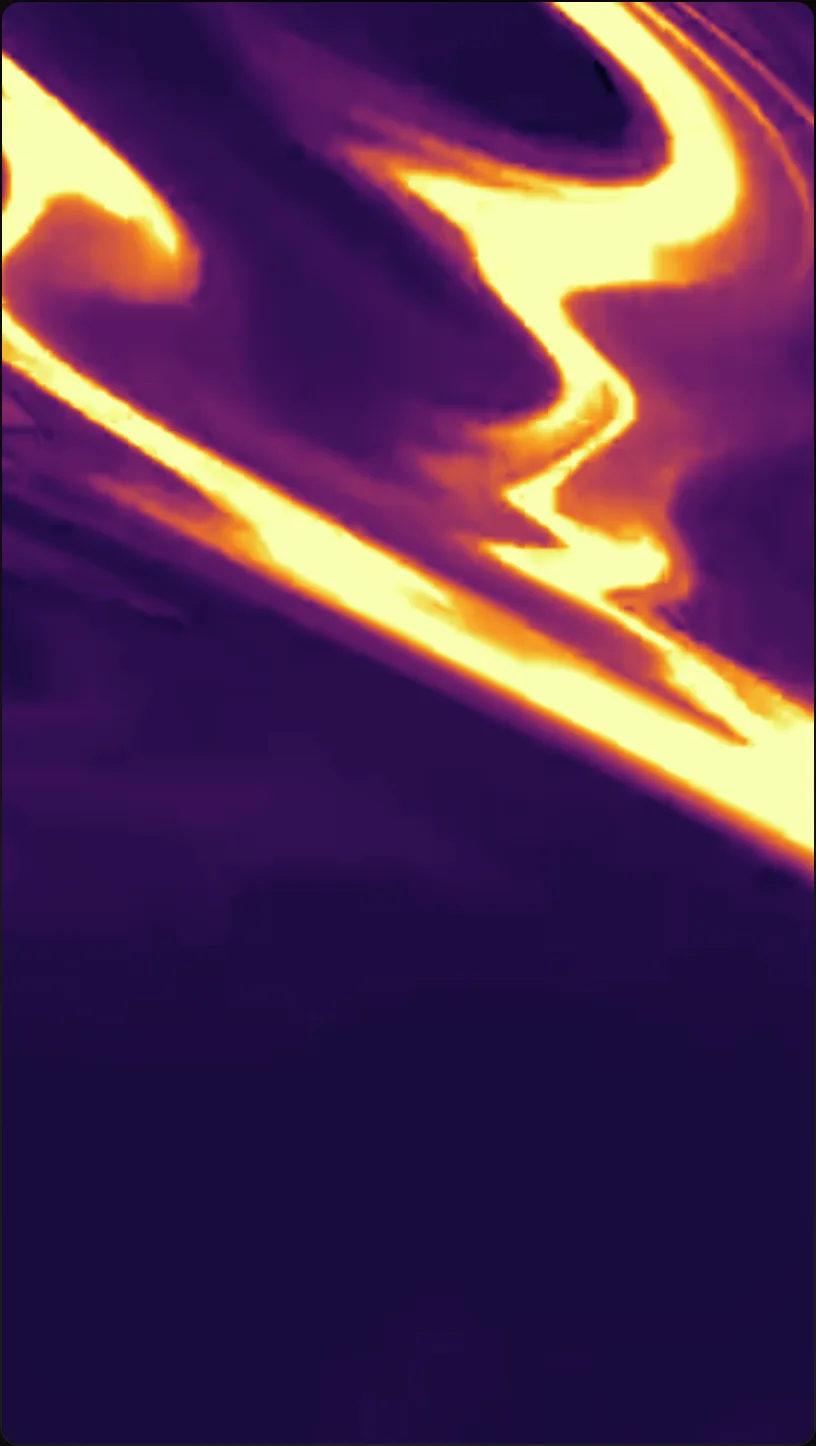
Live Performance Applications
Motion tracking routes physical energy into the visual projection. This breaks the disconnect between the DJ or performer and the screen behind them.
Instead of playing pre-rendered video loops, the visuals respond to the actual events on stage. For DJs, tracking the movement of their hands provides a subtle but effective link.
An overhead camera pointed at the DJ mixer tracks the hands. ImmerGround maps this movement to point element emitters or distortion nodes.
As the DJ reaches for an EQ knob or a fader, a ripple effect triggers on the main LED wall. This highlights the performance aspect of DJing, showing the audience the physical interaction with the gear.
Dancers provide the highest dynamic range for tracking. A wide camera shot covers the dance floor or stage.
The operator locks the tracker onto a solo dancer. ImmerGround links the dancer's X and Y coordinates to a massive geometric structure on the screen.
As the dancer leaps across the stage, the structure follows, creating a digital shadow that mimics their routine. Vocalists often pace the stage.
Tracking a singer allows the visual operator to keep effects centered on them. A spotlight effect generated in ImmerGround can follow the singer, even if the physical stage lighting fails to keep up.
The bounding box data can also control lyrics projection, ensuring the text always floats just above the singer's head, regardless of where they move. Interactive installations utilize the same technology.
A camera monitors a specific zone in a room. When a patron steps into the zone, ImmerGround locks onto them.
Their movement triggers audio samples and visual bursts. This setup requires no controllers or instructions; the patron simply moves, and the system reacts.
The fast re-acquisition speed of the Vision framework handles multiple people entering and exiting the zone smoothly. Band setups involve multiple targets.
A camera tracks the drummer's sticks, mapping the velocity of the strikes to strobe flashes on the screen. Another tracker follows the guitarist, linking their position to color shifts.
This requires an M-series Mac to handle the multiple tracking requests, but it creates a tightly synchronized visual show where every band member controls a different aspect of the projection. The routing flexibility in ImmerGround allows operators to swap targets on the fly.
During a set, the operator can kill the tracking on the dancer and instantly lock onto a new prop brought onto the stage. The X and Y data stream remains constant, only the source changes.
The shaders continue to receive coordinates without interruption, preventing visual jarring. Boundary mapping restricts the effects.
An operator can define a geofence within the camera frame. If the tracked subject moves outside this boundary, ImmerGround automatically fades the reactive effects to zero.
This ensures the visuals only trigger when the performer is in the designated performance zone, preventing accidental triggers if a technician walks across the background. Latency management determines the success of these applications.
If the visual effect trails the performer by a full second, the connection breaks. Optimizing the hardware, using hardware-accelerated capture cards, and keeping the camera resolution manageable ensures the tracking data reaches the shaders within a few frames, maintaining the illusion of direct physical control.
Where to get free visual tools
You can access tools for your workflow directly through the browser. These utilities require no installation and process data locally.
- ImmerGround Visualizer: Render scenes directly in your browser. Access the engine at /visualizer to test shaders and video routing.
- BPM Finder: Tap the tempo of your tracks. Calculate accurate beat timings at /tools/bpm-finder.
- MIDI Tester: Verify controller connections. Monitor incoming MIDI messages and map data at /tools/midi-tester.
- Video Loops: Download starter assets. Grab optimized video files for your VJ sets at /loops.
What to do next
Implement motion tracking in your setup by following these procedures:
- Connect an external camera or capture card to your Mac or iPad to establish a clean video feed.
- Mount the camera securely. Tripods or truss mounts prevent background movement from confusing the tracker.
- Configure your stage lighting. Request a front wash for the performance area to ensure high contrast for the Vision framework.
- Launch ImmerGround and route the camera feed into the tracking module.
- Test the lock on a performer. Have them walk the boundaries of the stage to confirm tracking stability.
- Map the X and Y coordinate outputs to a shader parameter, such as distortion center or object position.
- Adjust the tracking sensitivity to smooth out the data stream, matching the visual response to the performer's speed.
- Save your routing configuration as a preset for quick recall during the live set.