The ImmerGround image engine constructs dynamic visual shows from static photography by binding image textures directly to audio-reactive rendering pipelines. You select up to five high-resolution photographs, load them into the local hardware buffer, and route frequency bands from your live microphone or audio interface to trigger geometric distortions and color shifts. A single still image becomes an entire live visual set when mapped to drum hits, bass sweeps, and synthesizer leads.
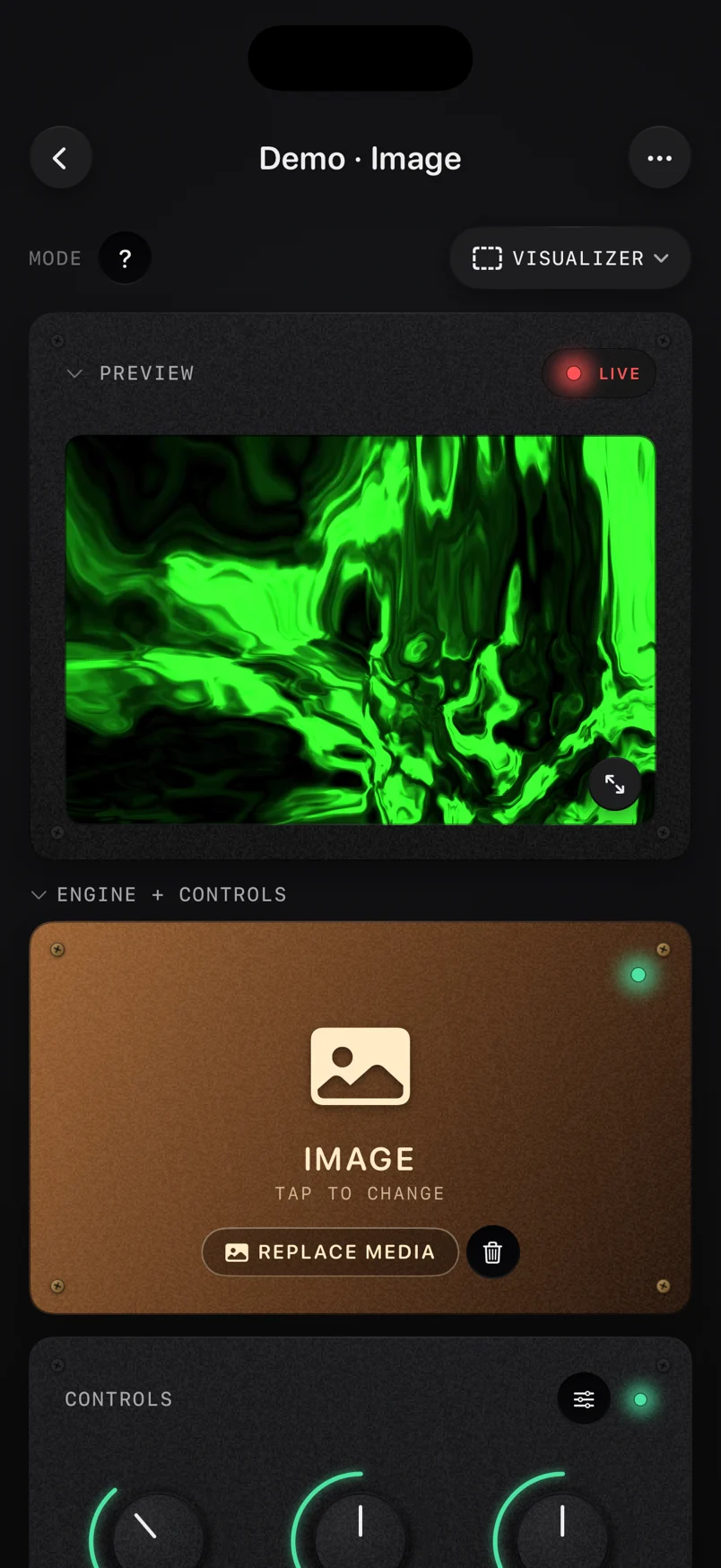
Image Engine Architecture
The core rendering architecture of the ImmerGround image engine relies on direct texture mapping within the metal graphics pipeline on your iPhone, iPad, or Mac. When you load a photograph, the operating system converts the compressed file format into an uncompressed raw pixel buffer in system memory.
The engine immediately uploads this pixel buffer directly into the dedicated video RAM of the device GPU. This direct hardware access ensures that all subsequent visual manipulations occur at the silicon level.
By keeping the heavy pixel calculations strictly on the GPU, the main CPU remains entirely free to handle low latency audio signal processing, fast Fourier reframes, and incoming MIDI event routing. Texture memory optimization plays a critical role when handling ultra-high resolution files on mobile hardware.
A standard raw photograph from a modern digital camera easily exceeds forty megapixels of data. Moving that massive amount of pixel data per frame would immediately stall even advanced Apple Silicon processors and cause severe thermal throttling during a live performance.
ImmerGround solves this bandwidth bottleneck by generating a precise resolution pyramid during the initial loading phase. The application creates multiple smaller, optimized versions of the original image, downscaling the pixel dimensions by factors of two for each level.
The graphics pipeline automatically selects the appropriate resolution layer based on the current scale, rotation, and zoom factor of the output display. If the user routes a bass frequency to pull the image backward in space, the engine renders a smaller texture to save battery power and reduce heat.
If a loud snare hit triggers a massive zoom into a specific visual detail near the center of the frame, the engine rapidly pulls pixel data from the maximum resolution buffer to ensure perfectly sharp edges. The audio signal analysis block runs concurrently with the image rendering loop inside a high priority audio thread.
The engine captures audio input through the internal microphone of your iOS device, a connected class compliant USB sound card, or a local audio file playback stream. A fast Fourier shape algorithm splits this incoming block of audio data into distinct frequency bands exactly sixty times per second.
The application extracts the amplitude data from these specific frequency ranges. The bass band typically captures frequencies between forty hertz and one hundred and twenty hertz.
The mid band grabs the two hundred hertz to two thousand hertz range. The high band handles everything above two thousand hertz.
The application then normalizes these raw amplitude values into strict floating point control signals ranging from zero point zero to one point zero. These normalized control signals map directly to the uniform variables inside the graphics shader programs.
A uniform variable acts as a global math parameter for the entire image during a single frame draw call. When a heavy kick drum hits the microphone, the amplitude of the bass band spikes to one point zero.
The fragment shader reads this updated value and applies a displacement matrix to every single pixel coordinate in the active image texture. The result is an instant, zero latency visual response to the acoustic event in the room.
To prevent visual tearing and aliasing during rapid texture sampling, the engine enforces strict anisotropic filtering across the entire rendering view. This filtering technique calculates the final color of a screen pixel by sampling multiple surrounding pixels in the original image texture, especially when the image is viewed at a steep angle or during intense three dimensional rotations.
The hardware calculates these samples along the exact line of sight, ensuring that fine details like text, sharp geometric edges, and high contrast lines remain crisp even when the audio signal contorts the image into extreme perspectives at sixty frames per second.
Building and Organizing Image Banks
Live visual performance requires rapid, predictable access to distinct visual textures. The ImmerGround image engine structures its media storage exclusively around the concept of a five photo bank.
You load exactly five specific images into the active application memory slots before a performance begins. This rigid constraint forces deliberate curation and planning.
Rather than scrolling blindly through an endless camera roll during a chaotic set, you map out a precise visual narrative using a tight selection of highly curated visual assets. Aspect ratio considerations dictate the final appearance and composition of your visual output.
The source image aspect ratio rarely matches the aspect ratio of the external destination display. A standard digital photograph usually has a three to two aspect ratio.
An iPhone screen in vertical portrait mode uses a nineteen point five to nine aspect ratio. A standard external club projector connected via HDMI uses a sixteen to nine widescreen aspect ratio.
ImmerGround defaults to a mode that fills the entire destination screen by cropping the overlapping edges of the source image. You must compose your source photographs with these strict safe zones in mind.
Ensure that critical visual elements, faces, or text sit near the center of the frame to avoid losing them when the engine crops the image to fit an external projector connected via a USB-C hub. Thematic photo curation determines the cohesion of your live set.
Building an effective image bank involves selecting photographs that share a distinct color palette, lighting style, or geometric structure. One bank might contain five high contrast black and white architectural shots of concrete buildings.
Another bank might focus strictly on macro photography of colorful oil and water mixtures. When you swap between these images during a live set using a MIDI controller, the visual transition feels intentional and connected.
Organizing these banks on your solid state storage volume requires a rigid, predictable folder structure. You create a master folder named after your live project in the files app on your Mac or iPad.
Inside this master folder, you create numbered subfolders labeled zero one through ten. You place exactly five images into each subfolder.
This logical system allows you to load an entire new bank of images rapidly between songs without hunting through chaotic, unorganized directories while the audience waits. The engine reads the folder contents sequentially by file name, assigning the first alphabetical file to pad one, the second file to pad two, and so forth.
- Contrast ratio: Images with deep true blacks and bright blown out whites react aggressively to color shifting modules. The engine calculates color math based on the original pixel luminance.
- Negative space: Photographs with large areas of flat solid color or pitch black skies provide excellent canvases for kaleidoscope distortions. Busy, cluttered images turn into muddy gray noise when folded multiple times.
- Symmetry: Pre composed symmetrical images interact beautifully with audio driven rotation and zoom parameters. The audio signal breaks and restores the symmetry in perfect time with the music.
- Resolution margin: Load images that are at least fifty percent larger than your target output resolution. This provides the engine with extra pixel data when you map an audio trigger to zoom in deeply, preventing blur.
Modulating Still Photos with Sound
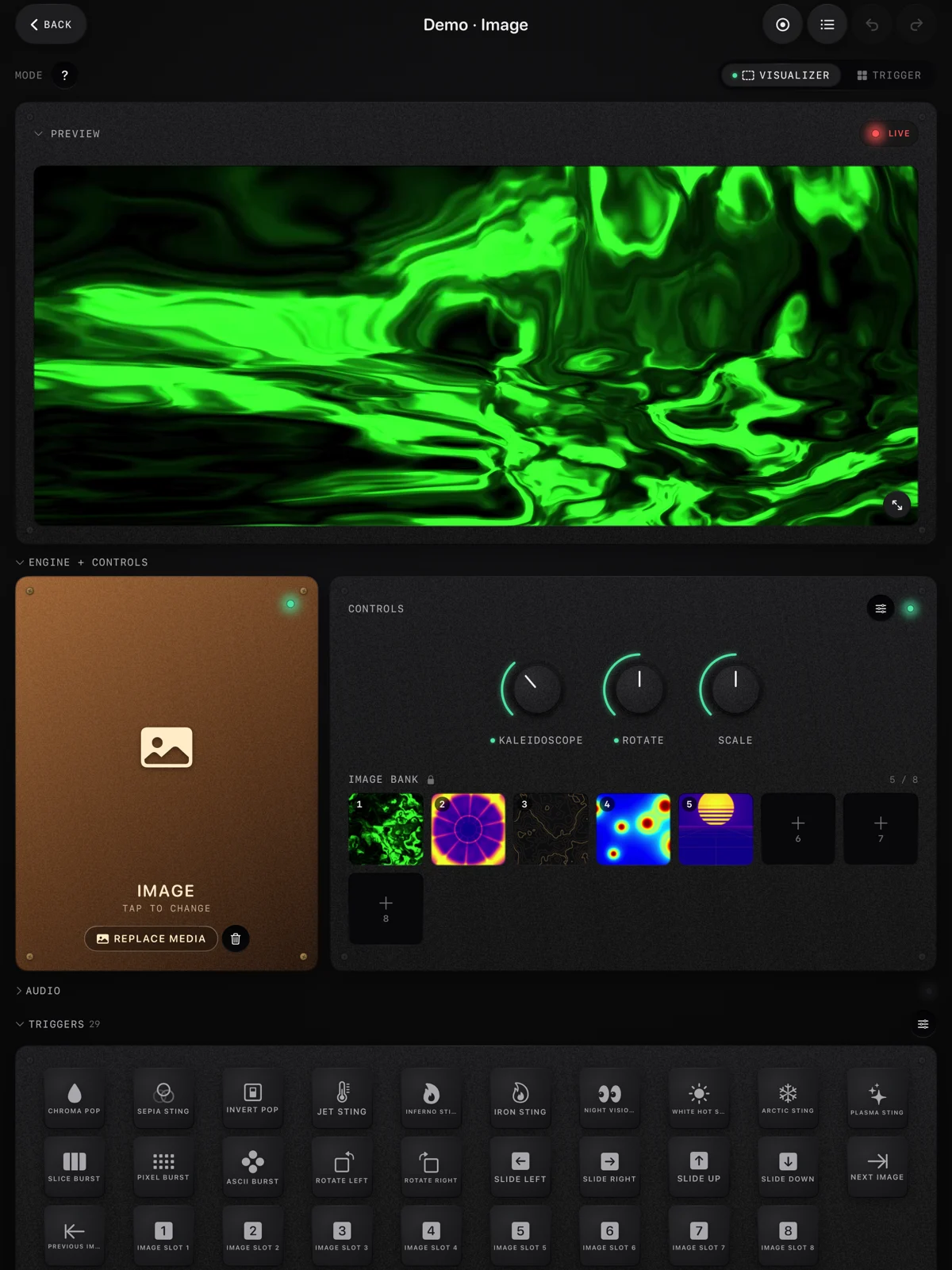
The core interaction in the image engine involves routing audio frequency bands to visual distortion parameters. You select an audio source, define a specific frequency range, and map the resulting amplitude envelope to a specific visual effect.
The application scales the input signal based on a master sensitivity slider, allowing you to tune the visual response to the exact volume of the room, the microphone placement, or the specific dynamic range of the backing track. Parallax depth folds split the flat two dimensional photograph into multiple perceived depth layers.
The engine constantly analyzes the luminance values of the image pixels in real time. It assigns brighter pixels to a foreground plane and darker pixels to a background plane.
When you route the bass frequency to the depth parameter, a loud kick drum hit pushes the dark background pixels away from the virtual camera while pulling the bright foreground pixels aggressively forward. This creates a temporary three dimensional extrusion effect from a single flat image file.
The speed of the return to a flat resting state depends entirely on the decay time setting of the audio envelope generator. Kaleidoscope reframes slice the image into triangular geometric segments and mirror them around a central axis point.
This modulation requires extreme precision in texture coordinate mapping. You can set the number of kaleidoscope segments from a simple two way split up to a dense thirty two way fracture.
Mapping a high frequency hi hat pattern to the segment count parameter causes the image to fracture and multiply rapidly with every cymbal hit. Mapping a low frequency synthesizer drone to the kaleidoscope rotation parameter spins the mirrored segments slowly, creating a hypnotic, slowly evolving mandala effect.
The center point of the kaleidoscope can also be offset via X and Y coordinates, pushing the symmetry axis to the corner of the screen for dynamic, asymmetrical compositions. Zoom and scale modulation act as the most direct visual representation of audio power and volume.
Mapping the master audio output volume to the global zoom parameter forces the entire image to pulse toward the viewer on every major beat. You control the minimum and maximum scale bounds via dual sliders to prevent the image from zooming out past the black edge of the screen or zooming in so far that it becomes a pixelated, unrecognizable blur.
The mathematical interpolation curve determines exactly how the zoom reacts to the audio spike. A linear curve provides a rigid, mechanical pulse.
An exponential curve creates a snappy, aggressive punch that matches the fast attack times of percussive electronic music. Color shifting alters the hue, saturation, and brightness values of the image texture in real time using a custom shader function.
The engine uses a high speed matrix multiplication to rotate the color space of the entire image at sixty frames per second. Routing a mid range vocal frequency to the hue parameter causes the colors of the image to cycle through the entire rainbow spectrum whenever the vocalist sings into the microphone.
A sharp, loud scream shifts the image heavily from blue to red, while a soft, quiet hum keeps the colors near their original resting state. You can also map audio triggers to invert the colors entirely, creating a massive, flashing strobe effect built directly from the negative color spaces of the photograph.
| Modulation Type | Best Audio Source | Visual Result | Hardware Impact |
|---|---|---|---|
| Parallax Depth | Low Frequency Kick Drum | 3D Layer Extrusion | High GPU Load |
| Kaleidoscope Fold | High Frequency Hi Hats | Geometric Fracturing | Medium GPU Load |
| Scale and Zoom | Master Output Volume | Full Screen Pulse | Low GPU Load |
| Hue Rotation Matrix | Mid Frequency Vocals | Color Spectrum Shift | Medium GPU Load |
| Color Inversion | Loud Snare Hit | Negative Color Flash | Low GPU Load |
Hot-Swapping Photos Live
Live visual sets require constant change and momentum. Staring at a single modulated photograph for an hour will bore an audience quickly.
The image engine provides specific hardware and software tools to swap between your five loaded images instantly, without breaking the audio reactivity, halting the shader pipeline, or causing dropped frames on the external projector. On screen touch cues provide the most direct method for image swapping on the iPhone and iPad glass screens.
The interface displays a horizontal row of five large thumbnail buttons corresponding to your loaded image bank. Tapping a thumbnail binds that specific image texture to the active rendering pipeline instantly.
The audio modulations continue running smoothly over the new image data. If your bass frequency maps to a heavy zoom, the new image snaps into view already zoomed in and pulsing to the beat.
This instantaneous texture binding ensures that the visual rhythm never breaks during a manual swap by the operator. MIDI pad selection offers tactile, physical control for musicians and visual artists who prefer hardware buttons over glass screens.
You connect a standard USB class compliant MIDI controller to your Mac or iOS device via a powered USB-C hub. You use the internal MIDI mapping interface to assign five physical drum pads on the hardware controller to the five software image slots.
Striking pad one loads image one. Striking pad two loads image two.
This hardware setup allows you to play the visual textures exactly like a digital drum kit. You can trigger a new image on every downbeat of a song, creating a rapid fire montage of visual textures that sync perfectly with your physical hand movements.
Velocity sensitivity adds another layer of dynamic control when using a high quality MIDI controller. The engine can read the velocity value from a MIDI note on message, ranging from zero to one hundred and twenty seven.
Hitting a physical pad softly loads the new image at fifty percent opacity, blending it mathematically with the previous image. Striking the pad with maximum physical force loads the new image at one hundred percent opacity, overriding the previous texture completely and instantly.
This allows for nuanced, manual crossfades and hard cuts driven purely by physical pressure on the hardware pads. Automated step sequencing handles the image swapping duties when your hands are busy playing a physical instrument like a guitar or synthesizer.
You configure an internal step sequencer inside the application to trigger image swaps based on a strict set BPM value. The sequencer cycles through the five active image slots in order, jumping to a new image every four beats, every eight beats, or every sixteen beats.
You tap the tempo button on the interface to align the internal clock with the live band, and the application handles the visual montage automatically, freeing you to focus entirely on the music.
Studio Photography and Album Art Performance Scenarios
The image engine excels in specific professional contexts where custom visual assets are required but a full scale video production team is impractical or too expensive to hire. Independent musicians, touring DJs, and solo live performers use this tool to build entire visual identities from a small handful of high quality still photographs.
Animating static album covers solves a major problem for independent bands playing live club shows. Most bands have high quality artwork designed for their digital album release.
They load the high resolution digital file of their album cover into slot one of the engine. They load individual graphical elements cut from the cover art into the remaining four slots.
The band routes the live mix from the front of house soundboard into their iPad via a class compliant USB audio interface. The album art projects onto the large screen behind the band, warping, pulsing, and fracturing in exact time with the music.
A static piece of flat graphic design becomes a highly reactive, custom light show. Studio band photos serve as excellent source material for dynamic visual backdrops during a set.
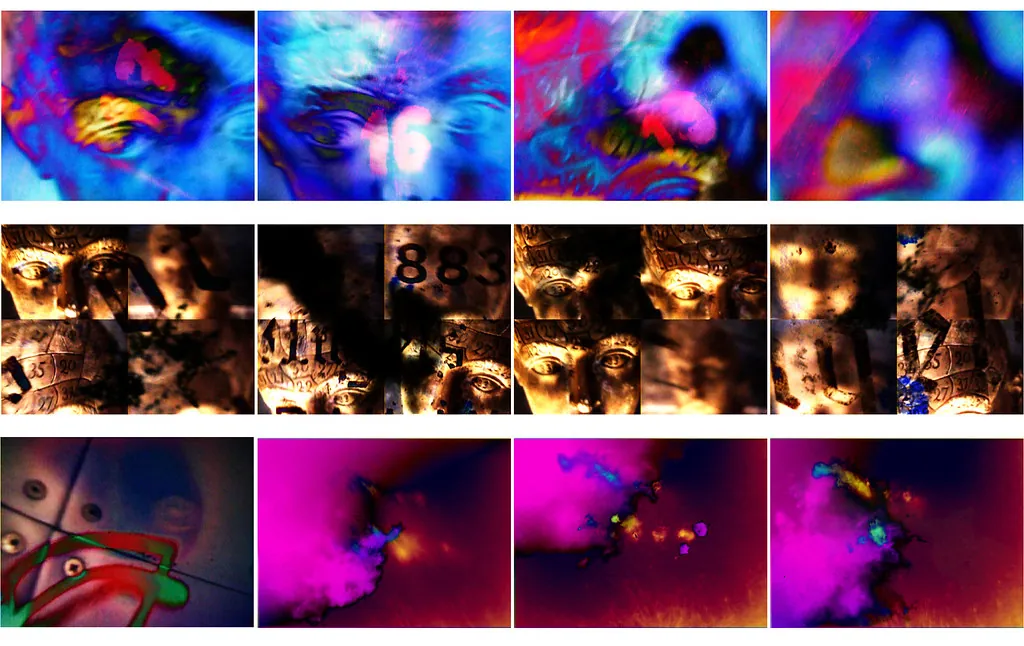
A professional photographer shoots a high contrast portrait of each band member against a solid black background. You load the portrait of the drummer into slot one, the bass player into slot two, and the singer into slot three.
During a live set, the visual operator triggers the photo of the specific musician who is currently taking a solo. The audio reactive kaleidoscope effects spin the portrait into abstract geometric shapes that pulse with the specific notes being played.
The black background disappears into the dark club environment, leaving only the illuminated, distorted face floating on the projection screen. Graphic art and typography banks allow for aggressive, punk style visual sets.
You create five image files containing nothing but stark, bold typography spelling out lyrics or band names. The black and white text files load into the engine memory.
You map the kick drum audio input to a massive scale punch effect and the snare drum to a complete color invert effect. The text physically slams forward on the screen with every heavy kick drum hit, and the entire screen flashes in negative colors with every sharp snare.
This technique requires zero pre rendered video rendering time and produces a high energy visual assault that hits harder than a standard looping video file. Ambient visual shows utilize landscape and macro photography to create slow, evolving textures for relaxed environments.
A DJ playing a downtempo chillout set loads high resolution photos of tree bark, water ripples, and cloud formations into the five slots. They set the audio reactivity to target only the very lowest sub bass frequencies in the room.
They apply slow, drifting parallax depth folds and subtle hue rotations to the master shader. The landscape photographs slowly warp and breathe with the deep bass drones, providing a calm, mesmerizing visual anchor for the room without demanding immediate attention through aggressive, fast flashing lights.
Image Format Best Practices
The technical specifications of your source images directly impact the performance, battery life, and visual fidelity of the ImmerGround engine. Throwing random files downloaded from the internet into the application will result in stuttering frame rates, poor color reproduction, and unexpected system crashes during a live set.
JPEG compression provides the best overall balance of file size and fast loading speed. A high quality JPEG file loads from the solid state drive into GPU texture memory almost instantly.
Set your export quality to exactly ninety percent in your photo editing software. This specific setting discards invisible high frequency data while maintaining crisp geometric edges and smooth color gradients.
A typical 4K resolution JPEG file requires about two to four megabytes of disk space, making it easy to store hundreds of curated image banks on a base model iPad or iPhone without running out of storage. PNG files offer mathematically lossless compression and fully support alpha channels for true transparency.
Using PNG files is mandatory if you want to overlay graphic elements or logos on top of a solid background color generated by the engine shader. However, PNG files require significantly more CPU cycles to decode during the initial loading phase.
A massive PNG file might cause a slight audio stutter if you try to hot swap it while rendering a heavy audio effect on an older device. Use PNG files strictly for logos and typography where sharp edges and true transparency are absolutely critical.
HEIC files provide superior file compression compared to standard JPEG, but they require dedicated hardware decoding support to function efficiently. Modern iOS devices handle HEIC files natively at the silicon level, making them an excellent choice for users shooting photos directly on their iPhone cameras.
If you shoot a photo with your iPhone and load it directly into ImmerGround, the engine reads the HEIC file without any conversion overhead. Older Mac computers might struggle to decode heavy HEIC files quickly, so testing on your specific performance hardware is strictly necessary.
Color profiles dictate exactly how the engine interprets the red, green, and blue numerical values of your image pixels. Always export your source images using the standard sRGB color profile.
The metal graphics pipeline expects sRGB data by default. If you load an image exported with an Adobe RGB or ProPhoto RGB profile, the colors will appear washed out, flat, and incorrect on the final projection screen.
The internal color math modules assume a strict sRGB color space when calculating complex hue rotations and color inversions. Resolution limits protect your mobile hardware from complete memory exhaustion.
The absolute maximum resolution supported by the image engine is eight thousand one hundred and ninety two pixels on the longest edge. Any image exceeding this massive dimension gets downscaled automatically during the loading phase, burning unnecessary CPU cycles and wasting battery life.
For optimal thermal performance, resize your images to exactly match your target output resolution before loading them into the app. If you output to a standard 1080p club projector, resize your photos to exactly nineteen twenty by ten eighty pixels.
This exact one to one pixel mapping ensures maximum image sharpness and zero wasted texture memory on the GPU.
Where to get free visual tools
ImmerGround provides several integrated systems to help you build, test, and refine your image banks before a live show begins.
- Visualizer Mode: The main rendering environment where you load photos, map audio triggers, and test shaders. You can test your setups locally using the built in device microphone. Access it at /visualizer.
- BPM Finder: A manual tool to tap out the exact tempo of a live band. Use this to align your step sequencer for automated image swapping on the beat. Access it at /tools/bpm-finder.
- MIDI Tester: A detailed diagnostic interface to verify that your external drum pads, faders, and knobs send the correct CC and note data to your Apple device. Access it at /tools/midi-tester.
- Loop Library: A collection of royalty free audio files containing isolated drum stems, bass lines, and synth chords. Use these audio loops to practice mapping specific frequency bands to visual parameters without needing a live band in the room. Access it at /loops.
What to do next
Follow these precise steps to properly deploy an image bank for your next live performance.
- Create a new master folder on your local storage drive named with your exact project title.
- Select exactly five high resolution photographs that share a consistent thematic style, lighting setup, or color palette.
- Resize all five images to match the exact pixel resolution of your target projection screen or external HDMI monitor.
- Export the images as JPEG files using the sRGB color profile to ensure fast loading speeds and accurate color reproduction.
- Number the files sequentially from zero one to zero five and place them inside your specific project folder.
- Connect your iOS device or Mac computer to your external display using a high quality, high bandwidth data cable.
- Launch ImmerGround, navigate directly to the image engine section, and select your project folder to load the textures into video memory.
- Route your live audio source into the application and map the kick drum frequency band to the master scale parameter.
- Test the entire system by playing a loud track and verifying that the images pulse exactly in sync with the low end audio energy.