
Mixed In Key is the best-known key detection software for DJs, and for many people it is a purchase they make once and never think about again. But it is not the only way to get the key of every track in your library, and depending on what you already own, you may not need to buy anything at all. This guide covers what Mixed In Key actually does for its price, eight alternatives from DJ software you may already have to free desktop and browser tools, what the one public accuracy test found and why it is not the whole story, where the usual advice about choosing breaks, and which option fits which situation.
What you pay Mixed In Key for: key, energy and cue points
Mixed In Key 11 costs €58 and Mixed In Key 11 Pro €99 on the company's shop, as a one-time purchase with a 30-day money-back guarantee and no trial. It runs on Mac and Windows. It does four things with your library:
- Key. Every track is analysed and labelled in Camelot notation, the 1A to 12B codes the company popularised.
- Energy level. A rating of how intense each track feels, used to plan the shape of a set.
- Cue points. Up to eight automatic cue points per track, which it can export to Traktor, Serato and rekordbox.
- Tags. It writes its results into the files' ID3 tags, in fields you choose, so that Traktor, Serato, Pioneer players, VirtualDJ and Ableton Live can read them. Its FAQ notes that it does not tag WAV files.
The company describes independent tests as consistently showing Mixed In Key to be the most accurate key detection available. The one widely cited public test, covered below, did rank it first. So the honest summary is that you pay for a strong key detector plus two features, energy levels and cue points, that most alternatives do not have, and a tag-writing workflow that puts the results everywhere.
Eight alternatives at a glance
Prices and features below are from each vendor's own pages, read in September 2026. Where a vendor showed euros, the price is in euros.
| Tool | Price | Runs on | Key notation | Writes keys to your files |
|---|---|---|---|---|
| rekordbox | Free plan; paid plans from €12 a month | Mac, Windows, iOS, Android | Classic or Alphanumeric (1A) | Not confirmed on Pioneer's pages |
| Serato DJ Pro | $299, or $11.99 a month | Mac, Windows | Camelot, Classical or Open Key | Yes, as a key tag |
| Traktor Pro 4 | $149 | Mac, Windows | Musical or Open Key | Yes, in the notation you choose |
| VirtualDJ | Free for home use without a controller; from $4 a month | Mac, Windows | Musical or Harmonic (01A) | Yes, if you turn it on |
| KeyFinder | Free | Mac (Mac App Store) | Musical, by design not Camelot | The older version did; not confirmed for the current one |
| Mixxx | Free, open source | Mac, Windows, Linux | Lancelot, Open Key or Traditional | Only if you turn metadata sync on |
| Tunebat Analyzer | Free; Pro from $2.99 a month billed yearly | Any browser | Key and BPM | No, results on screen |
| ImmerGround key finder | Free | Any browser | Musical, Camelot and Open Key together | No, a CSV you can download |
The last column matters more than it looks. A key that lives only in one program's database is available only in that program. A key written into the file's tag follows the file into every program and onto a USB stick.
If you own DJ software, you may already have key detection
The cheapest alternative is the one you have already paid for. Most DJ programs analyse keys on import, and for many DJs that is enough.
rekordbox
Pioneer describes rekordbox's key detection as industry-leading and offers two display options, Classic and Alphanumeric, set under Preferences, View, Key display format. Alphanumeric is the Camelot-style 1A to 12B. Pioneer's plan page does not list key analysis as a paid feature, and tracks are analysed when you import them. If you play on Pioneer players from a USB stick prepared in rekordbox, this is the key the players will show.
Serato DJ Pro
Key analysis is a Serato DJ Pro feature; the free Serato DJ Lite does not have it. DJ Pro costs $299 once or $11.99 a month. It can show keys as Camelot, Classical or Open Key, and its Set Key option writes the result into the file's key tag, so other programs can read it.
Traktor Pro 4
Traktor Pro 4 costs $149 and runs on macOS 13 and later and Windows 11. Its manual lists a Musical Key setting in the analysis options, display in Musical, Musical with all sharps, or Open Key, and a choice of what to write into the file's tag, including Open Key. New tracks are analysed on import.
VirtualDJ
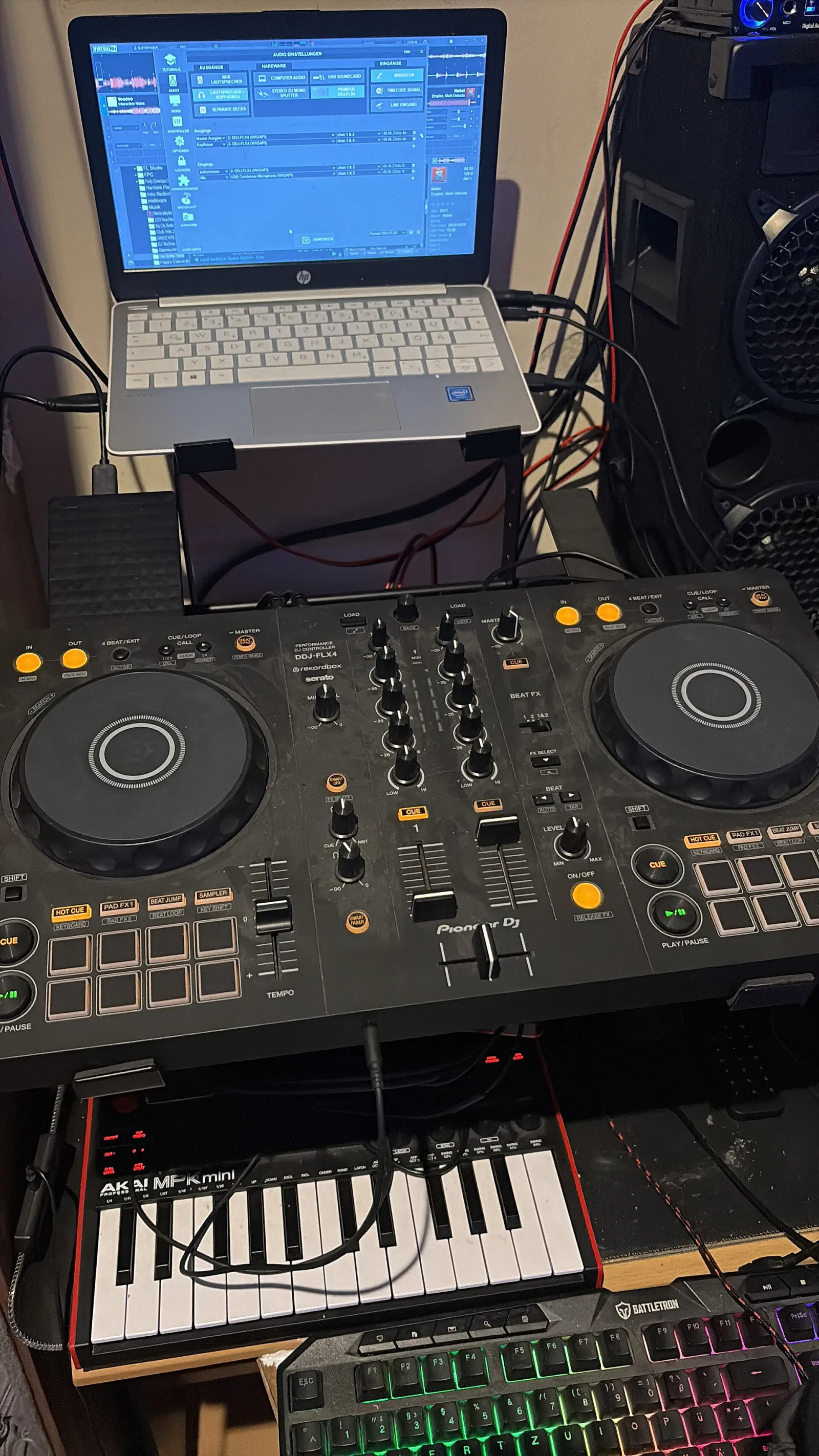
VirtualDJ is free if you are not using it professionally and not using a DJ controller or mixer; the Home licence for entry-level controllers is $4 a month and Pro is $19 a month. Keys display as musical names or in its Harmonic notation, such as 03A, and an option writes analysis results to the files' tags automatically. It also has Key Match and a column for the key difference between the loaded track and the others.
Free options on the desktop and in the browser
If you would rather not pay at all, four free tools cover most needs: two on the desktop that can end up in your tags, and two in the browser that need no install.
KeyFinder
KeyFinder is the free key detector written by Ibrahim Sha'ath, which began as a university research project. It is now on the Mac App Store as KeyFinder DJ, free, for macOS 10.15 and later. Its page is candid about its scope: no library management, no track suggestions, no media player. It does one job. On Windows and Linux, the author points people to Mixxx, which has KeyFinder built in. The older standalone versions were released under the GPL version 3 and could write keys into tags; the current page does not state whether the App Store version writes tags. One design choice is worth knowing: it deliberately does not use Camelot codes, which the older documentation calls the intellectual property of Mixed In Key, so you get musical names or your own custom codes.
Mixxx
Mixxx is a free, open source DJ program for Windows, macOS and Linux, with no paid version. It offers two key detectors: Queen Mary, the default, and KeyFinder, which the Mixxx team says performs considerably better but is slower. It shows keys as Lancelot (its own Camelot-style codes), Open Key or traditional names. By default it does not touch your audio files; writing keys back into their tags is a setting you turn on in the library preferences. If you want free key detection that ends up in your tags, Mixxx with the KeyFinder detector is the most complete free option on Windows and Linux.
Browser tools need no install and no account, which makes them good for a quick check or a one-off batch. Both of the ones below analyse the audio inside your browser rather than uploading it.
Tunebat Analyzer
Tunebat's Analyzer reads the key and BPM of files you drop in, with no limit on how many, and says the analysis runs inside your browser so your files are never sent to another machine. The free version shows key and BPM with ads; Pro, $7.99 a month or $35.88 a year, adds energy, danceability and happiness ratings, saves and downloads results, and removes the ads. Its FAQ describes its accuracy as on par with commercial key finders, more or less.
Our song key finder
We built our key finder for the checks the other free tools did not cover. Drop up to 60 songs and it reads them one after another and gives you a table of keys in musical, Camelot and Open Key notation at once, which you can download as a CSV. For each song it draws the key section by section, so a track that changes key shows where, measures the tuning in cents, and shows the next most likely key. It also listens through the microphone, and it can work out a key from a typed chord progression. A Camelot wheel lists the keys that mix with any key you pick.
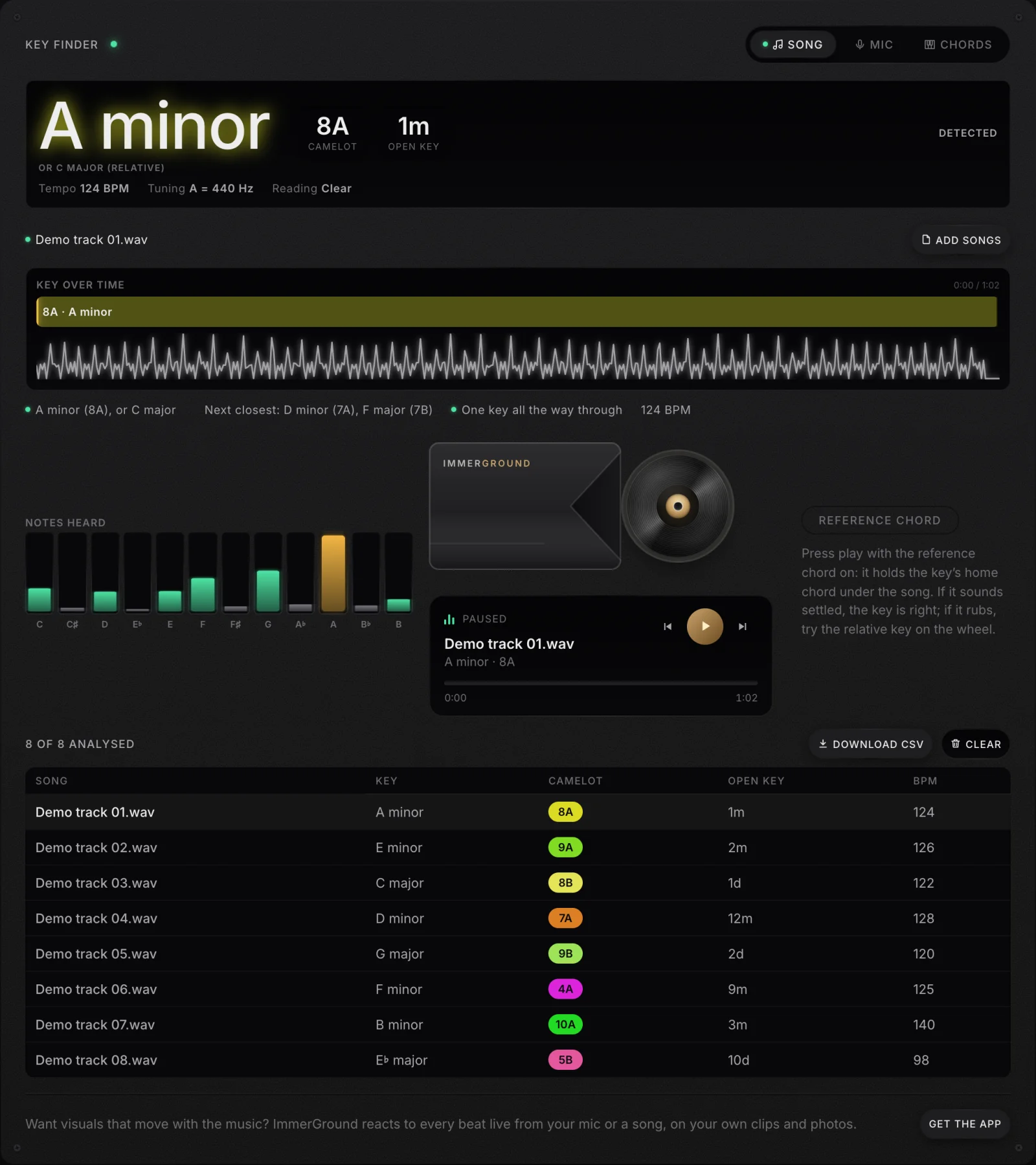
What it does not do, so you can plan around it: a web page cannot change the files on your computer, so it cannot write keys into tags. You get the keys on screen and in a spreadsheet, and your DJ software's own analysis or a desktop tool has to put them into the files. It has no energy ratings and no cue points either.
How keys travel between programs: the tag, and the notation in it
Whichever tool you pick, the key has to reach the software you play from. There are two routes, and choosing between them avoids most of the frustration people have with key detection.
Route one: let your DJ software analyse
The simplest route is to let the program you perform with analyse your tracks itself. The key lives in that program's library, it shows in the notation you set, and on Pioneer players it travels on the USB stick you export from rekordbox. The limit is that the key stays inside that program's library. Move to another program and it analyses again, perhaps with a different answer.
Route two: write the key into the file
MP3 and many other audio files carry tags, and the tag format most music files use has a field for the initial key. A tool that writes the key there, such as Mixed In Key, Serato's Set Key, Traktor's tag writing, VirtualDJ with automatic tag writing turned on, or Mixxx with metadata sync, puts the key in the file itself. Any program that reads that field then shows the same key, and you can check it in a music player or a tag editor.
The catch is notation. A tag is just text, so a key written as 8A by one program arrives as the text 8A in the next, and software that expects a musical name may show it as written or ignore it. Before you tag a whole library, tag a few files, load them into the software you play from, and check what it shows. If it reads them, tag the rest. If it does not, change the notation the tagging tool writes, usually to musical names, which every program understands.
Where browser tools fit
Browser tools, ours included, cannot write to your files, so they fit the first route or a manual version of the second. They are most useful for checking: run a folder through, compare the list with what your DJ software says, and listen to the tracks where the two disagree. Those disagreements are where the errors are, and fixing twenty of them by hand is quicker than re-analysing a library with another program.
How accurate are they? What the one public test found
The most detailed public comparison is DJ TechTools' key detection test from November 2015. It used 66 tracks from Beatport, the top three from every genre, and set the correct key by ear: the author and five volunteers listened, and each track needed a majority. Every program then analysed the same files.
| Program, version tested in 2015 | Matched the listeners |
|---|---|
| Mixed In Key 7 | 57 of 66 (86%) |
| Serato DJ 1.8 | 46 of 66 (70%) |
| rekordbox 4.0.2 | 46 of 66 (70%) |
| beaTunes 4.5.6 | 43 of 66 (65%) |
| KeyFinder 1.26 | 43 of 66 (65%) |
| Beatport's own key tags | 40 of 66 (61%) |
| Traktor Pro 2.10 | 31 of 66 (47%) |
| VirtualDJ 8.0.0 | 27 of 66 (41%) |
Two cautions before you treat that as a ranking. First, it is from 2015, and every program on the list has been through several major versions since; rekordbox, for example, went from 52 to 70 percent between the two versions the test included. Second, 66 tracks is a small sample: the difference between 70 and 65 percent is three tracks. What the test shows reliably is the size of the spread, and that the paid leader was ahead of the free options at the time.
We published the numbers for our own key finder the same way. On 146 recordings with a known key, 77 classical pieces and 69 electronic, pop and loop recordings, it named the exact key on 66 percent and the key or a close neighbour, a fifth away or the relative key, on 93 percent. Those are different recordings from the 2015 test, so the numbers do not compare directly, and we would rather you check them than take them on trust: the method is on the tool's page.

Where the usual advice breaks: accuracy is not the whole question
The usual advice is to buy the most accurate detector and be done with it. That advice is sound if keys are central to how you play, and it misses three things for everyone else.
- No detector removes the need to listen. Even at 86 percent, about one track in seven is wrong, and the wrong ones are not marked. Most errors are the relative key or a key a fifth away, which are exactly the cases a quick listen settles. A DJ who checks the tracks they play most will outperform one who trusts any detector blindly.
- Where the key ends up matters as much as how right it is. A perfect key in a program you do not play from is no use in the booth. The real question is whether the result lands in the tags or the library of the software you perform with.
- The extras decide it more often than the keys. If you want energy ratings and automatic cue points, that is a reason to buy Mixed In Key that no free tool answers. If you only want keys, the argument for paying is narrower.
Energy ratings deserve their own caution. Unlike a key, which is a fact about the notes, an energy rating is a judgement about how a track feels, and two tools, or two DJs, will rate the same track differently. They are useful for sorting a crate into warm-up, build and peak, and they are only as good as their agreement with your own sense of the room. If you use them, spend an evening checking them against your ears, the same way you would check keys.
There is also a limit shared by every tool here, ours included: each reports one key per track, or at best one per section, and cannot tell you whether a transition will sound good. Two tracks in compatible keys with loud basslines can still clash. The key is a strong hint, and your ears make the call. Our guide to finding the key of a song covers how to check a key by ear in a minute, and our guide to the Camelot wheel covers which keys mix.
Which one to pick
- You play on Pioneer gear from rekordbox. Use rekordbox's own key analysis first. It is what the players show, and it costs nothing extra.
- You play Serato DJ Pro, Traktor or VirtualDJ. Turn on their key analysis and choose Camelot or Open Key display. Spot check your most played tracks by ear.
- You want keys written into your tags for free. Mixxx with the KeyFinder detector, with metadata sync turned on, on any desktop system; on a Mac, KeyFinder DJ is worth trying as well.
- You want a quick answer for a few tracks, or a spreadsheet of a folder. A browser tool: our key finder for keys, key changes and a CSV, or Tunebat's Analyzer.
- You want energy levels and cue points too, and keys are central to your sets. That is the case for Mixed In Key, and the money-back guarantee lets you test it on your own library.
Where to get it: our free tools
- Song key finder. Free, in your browser, nothing uploaded. Up to 60 songs at once with a CSV export, the key section by section, the tuning, a microphone mode, a chords mode and a Camelot wheel. It does not write tags.
- BPM finder. Free, in your browser. The tempo to a hundredth of a BPM from a file, the mic or tapping, with a click on every beat to check it.
- MIDI tester. Free, in Chrome, Edge or Firefox on a computer. Plug in a controller and see every note, knob and pad it sends.
- ImmerGround for iPhone, iPad and Mac. Our app, free to download, with ImmerGround Pro at $6.99 a week or $39.99 a year. It turns the sound of your set into visuals on your own clips and photos, with MIDI pads for the drops. It reacts to the beats, not the keys.
What to do next
- Check what your DJ software already does. Open its preferences, turn on key analysis and choose Camelot or Open Key.
- Run a folder through a free tool and compare. Where it disagrees with your software, listen to that track; those are the ones worth fixing.
- Decide where keys should live. In your DJ software's library, or in the files' tags so they follow the music everywhere.
- Buy only for the features you will use. Energy levels and cue points are real reasons to pay; keys alone often are not.



.jpg)