The tempo of a song, its BPM, is a single number, and there are at least six ways to get it: count it by ear, tap along, drop the file into a BPM finder, let your music software analyse it, look it up in a database, or let a microphone listen. Each is right in a different situation, and they disagree more often than you would expect, usually by exactly half or double. This guide covers what BPM actually measures, how to count it with a stopwatch, why tapping beats counting, how automatic detectors work and when to trust them, how to get the tempo of a song on Spotify or YouTube, where to find it in Ableton, FL Studio, Logic, Audacity and DJ software, and why many songs do not have one tempo at all.
BPM is beats per minute, and the beat is the pulse you tap your foot to
BPM counts how many beats fall in one minute. Spotify's developer documentation defines a track's tempo exactly that way: the overall estimated tempo in beats per minute, derived from the average beat duration. The hard part is not the arithmetic but deciding what counts as the beat. It is the pulse most people would tap a foot or nod along to: in a four-on-the-floor dance track, the kick drum; in most pop and rock, the alternating kick and snare.
Genres cluster in tempo ranges, which helps you sanity-check any number you get. Ableton's Learning Music site gives these typical ranges:
| Genre | Typical BPM | Watch out for |
|---|---|---|
| Dub | 60 to 90 | Can read as double |
| Hip hop | 60 to 100 | Hi-hats in sixteenths make it feel faster |
| House | 115 to 130 | Rarely ambiguous: the kick is on every beat |
| Techno and trance | 120 to 140 | Harder styles run faster |
| Dubstep | 135 to 145 | Feels like half, around 70 |
| Drum and bass | 160 to 180 | Often reads as half, around 85 |
BPM says nothing about how beats are grouped. A waltz at 90 BPM and a pop song at 90 BPM have the same tempo but group their beats in threes and fours. That grouping, the time signature, matters for where bar lines fall, and it is why a tool that draws bar lines over your song assumes four beats to a bar unless told otherwise. For most dance and pop music the assumption holds; for folk, jazz and some rock it does not, and the BPM is still right even when the bars are not.
If a detector tells you a house track is 62 BPM, it has counted every other beat; if it says a dubstep track is 70, it has counted the way the track feels rather than the way DJs label it. Neither is exactly wrong, and a later section covers how to choose.
Count it by ear: fifteen seconds and a multiplication
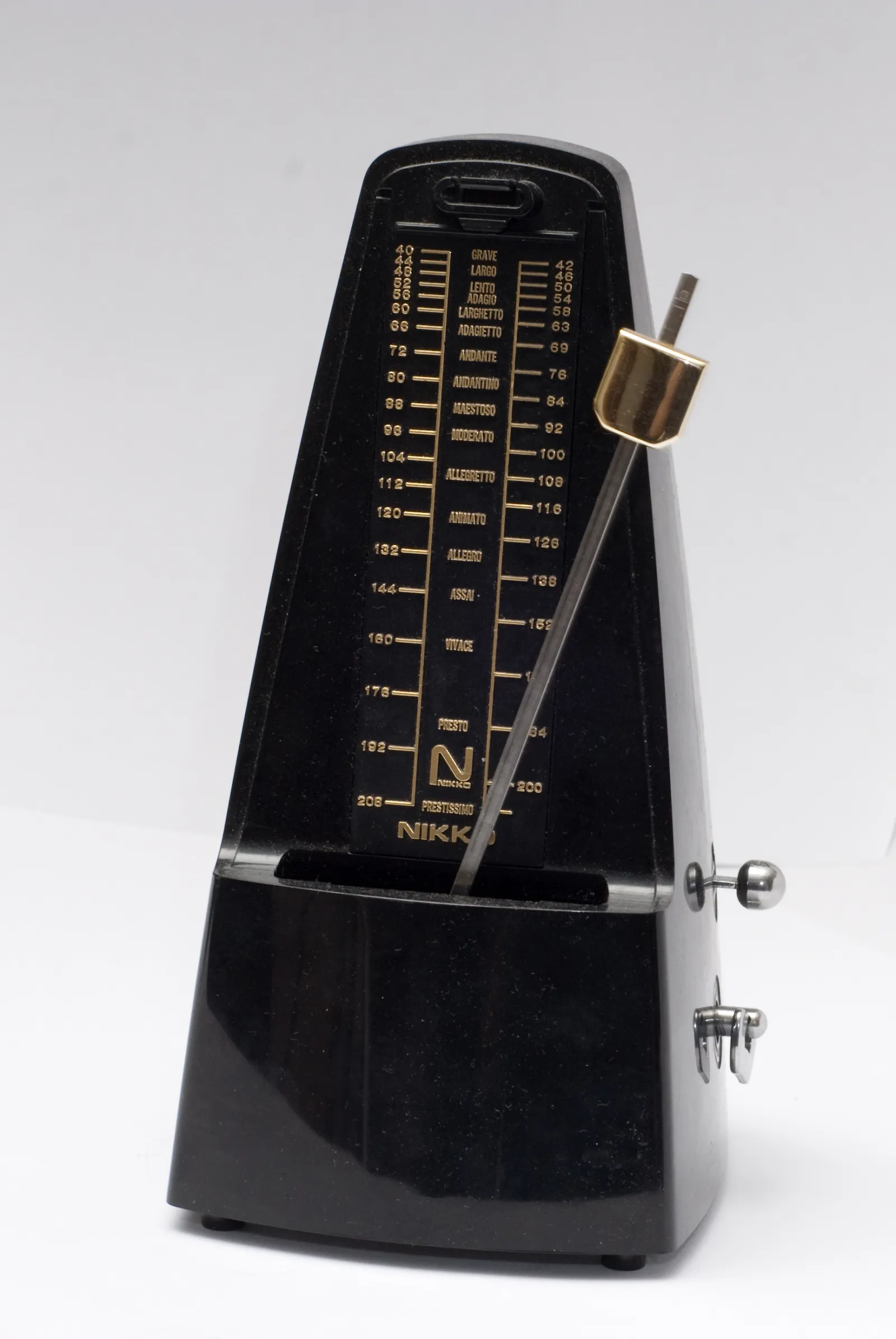
You need nothing but the song and a clock. It is slower and less precise than the other methods, but it works anywhere and teaches you what the number means.
- Find the beat. Play a section with drums and nod along until you are sure of the pulse.
- Start a stopwatch on a beat and count. Count "one" on the first beat after you start the timer, and keep counting for exactly 15 seconds.
- Multiply by four. Thirty beats in 15 seconds is 120 BPM.
The weakness is precision. If you are off by one beat in 15 seconds, and it is easy to be, your answer is off by four BPM. Count for 30 seconds and multiply by two and you are within two; count for a full minute and you are within one.
| Count for | Multiply by | One beat off means |
|---|---|---|
| 6 seconds | 10 | 10 BPM off |
| 15 seconds | 4 | 4 BPM off |
| 30 seconds | 2 | 2 BPM off |
| 60 seconds | 1 | 1 BPM off |
Count bars, not beats, in fast music
At 170 BPM, counting individual beats for a minute is hard to keep up. Count bars instead: most popular music has four beats to a bar, so count the downbeats, the "one" of each bar, for 30 seconds, then multiply by eight. Forty-three bars in 30 seconds is 172 BPM. The same trick works in reverse for slow music, where counting the eighth notes and halving is easier than waiting for each beat.
For a rough idea, 15 seconds is fine. For setting a click track or a delay time, use one of the methods below.
Tap along: the fastest way that is accurate enough
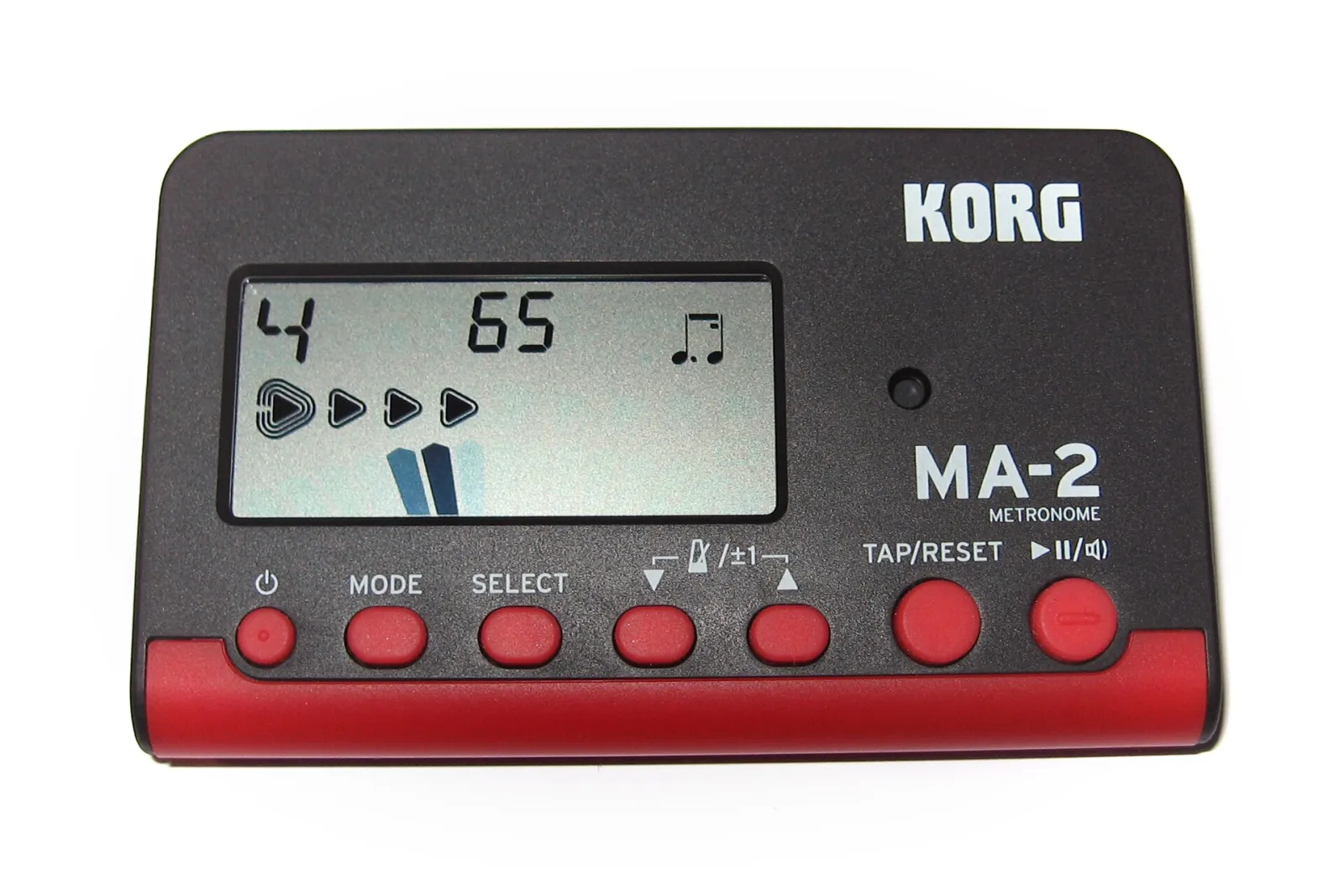
Tapping is counting with a computer doing the division. You tap a key or a button on every beat, and the tool measures the time between taps. It is faster than counting, it works on any music you can hear, and eight good taps get you within a BPM or so.
Most tap tools average the gaps between your taps, which means one hesitant tap drags the number around. Our free BPM finder handles that more carefully: it places each tap on a beat grid built from your typical gap, so a doubled tap is dropped and a missed beat leaves a gap instead of a long interval, then fits a straight line through the last sixteen beats. Four taps give a reading, eight settle it, and a pause of a few seconds starts over. You can tap the pad or press T or the space bar.
Three habits make taps accurate:
- Tap the kick, not the hi-hat. Hi-hats often run at twice the beat, and tapping them doubles your answer.
- Look away from the number. Watching it change makes you chase it. Tap for ten seconds, then look.
- Tap through a whole phrase. Sixteen taps across four bars average out the small unevenness of your hand.
Drop the file in: how BPM detectors actually work
If you have the audio file, a detector is the fastest and most precise option. It does not listen for drums the way you do; it measures how sharply the sound changes and looks for the rhythm in those changes. Our BPM finder, for example, works in four steps:
- Onsets. Every hundredth of a second, it measures how much new energy appears across the frequency range. Drum hits and note starts show up as sharp peaks.
- Periodicity. It compares that pattern of peaks with itself shifted in time, in ten-second windows, to find the spacing that repeats most strongly.
- A likely tempo. It weighs those candidates towards the range where most music sits, so drum and bass reads 174 rather than 87 while hip hop in the 80s stays put.
- Refinement. Across the whole song, it searches around that candidate in hundredths of a BPM for the tempo whose beat grid lines up best with the peaks.
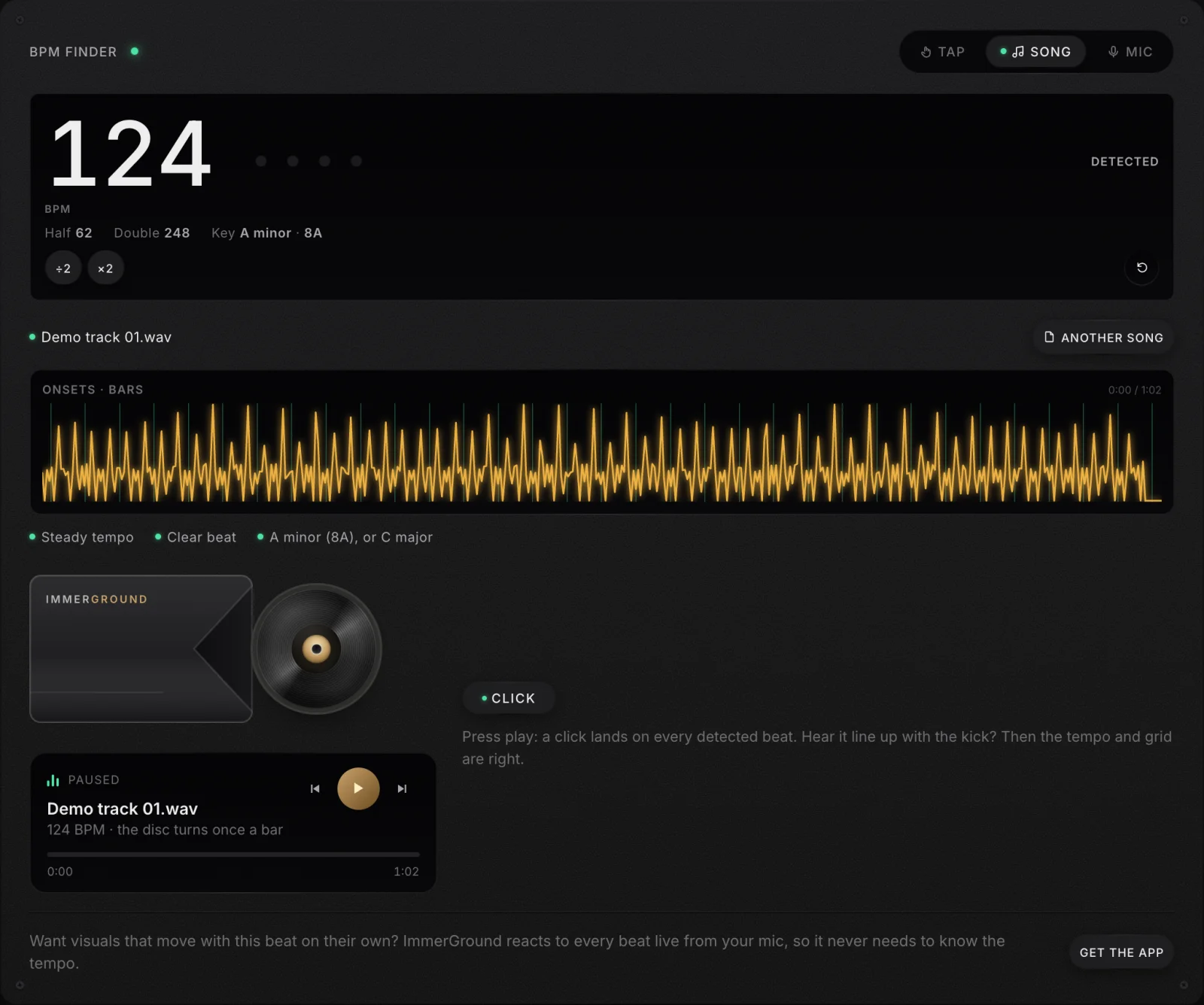
On a song with a steady beat, this lands within a few hundredths of a BPM, so a 124 BPM house track reads 124. The honest check is to listen: press play with the click on and hear whether the click stays on the kick for the whole song. If it drifts, the tempo is slightly off or the song speeds up and slows down; if it lands between the kicks, you have half or double time.
When detectors get it wrong
Automatic detection fails in recognisable situations, and knowing them saves you from trusting a bad number:
- Long intros without drums. An ambient intro gives the detector nothing to lock on to. Good detectors weigh the whole song, but a short clip of only the intro will read badly.
- Swing and shuffle. Swung rhythms put the off-beats late, and a detector can lock to the swung notes rather than the beat, giving a tempo that fits neither.
- Songs built on off-beats. Reggae, some garage and some Latin styles accent the beats between the pulse, and a detector can lock to the accents.
- Tempo changes. A song that speeds up has no single right answer, and a detector that reports one number is hiding that. Look for a tool that says when the tempo moves.
Files stay on your device with our finder, and the same page reads the key and its Camelot code. MP3, WAV, AAC and FLAC work in every current browser, and the first twelve minutes of a long file are analysed.
Half time and double time: why 87 and 174 are both right
This is the disagreement you will meet most. A drum and bass track has a snare on every other beat of a very fast pulse, and you can nod along at 174 or at 87; both fit. Dubstep is labelled 140 by producers and DJs but feels like 70, because its snare lands only on the third beat. Hip hop sometimes reads as double because of busy hi-hats.
A quick test for half or double
Count the snare. In most pop, rock and house, the snare or clap lands twice in every bar of four beats, on beats two and four. Tap only the snare, double the number, and you have the tempo most people would name. If the result sits far outside the genre's usual range, try its half or its double. In dubstep and trap the snare lands only once per bar, on beat three, which is exactly why those styles are labelled at around 140 while they feel like 70.
There is no single correct answer, only the convention your use needs. For DJing, use the number your DJ software and your crates use, usually the faster one for drum and bass and 140 for dubstep. For a click track to record to, use the one that feels natural to play. Good tools show both, and our finder has half and double buttons so the beat lights follow whichever you pick. DJ software handles this with a BPM range setting: Serato's help page explains that the range sets upper and lower limits to avoid half or double values, and gives the example of choosing 68 to 135 if you want tracks detected at 140 to read 70.
On Spotify, YouTube or Apple Music: listen through the mic
This is one of the most searched questions, and the answer changed recently.
- Spotify shows BPM in one place. According to Spotify's support page, when you use Mix on a playlist, each song displays its BPM and key. That feature needs Premium. The normal player does not show a tempo.
- The data sites are built on Spotify's old API. Tunebat's site says its music database is powered by the Spotify Web API, and SongBPM's song pages say their data comes from Spotify. But on 27 November 2024, Spotify stopped giving new apps access to the audio features that contain the tempo, so new tools cannot be built that way, and the numbers these sites show come from Spotify's own analysis rather than a fresh measurement.
- YouTube and Apple Music show no BPM. And a web page cannot read another app's audio directly.
What works for all of them is the microphone. Open our BPM finder, switch to Mic, press Start listening and play the song out loud near your device. It reads the last twelve seconds once a second and shows Locked when the number holds still, usually within about ten seconds. Nothing is recorded. If you cannot play the song out loud, tap along with headphones on instead.
In your DAW or DJ software
If you already work in music software, it can probably tell you the tempo. This is what each vendor's own documentation says.
| Software | How it finds the tempo | Worth knowing |
|---|---|---|
| Ableton Live | Auto-Warp estimates the tempo of a clip when it is loaded; Tap Tempo in the control bar | For short loops it assumes 1, 2, 4, 8 or 16 bars; if it doubles or halves, use the ×2 and ÷2 buttons |
| FL Studio | Right-click the tempo display and choose Tap; Edison and the Sampler can detect tempo | Edison has separate modes for short loops, constant-tempo songs and songs with a variable tempo |
| Logic Pro | Smart Tempo analyses an imported region and places beat markers | It can match the project to the region or stretch the region to the project |
| GarageBand | Tap the tempo on your computer keyboard | Apple's pages do not describe analysing the tempo of any audio file |
| Audacity | Since version 3.5, detects the tempo of imported loops | Its Beat Finder labels loud beats but does not calculate a BPM |
| rekordbox | Analyses tracks as they are added, in Normal or Dynamic mode | Normal mode uses a BPM range; Dynamic is for tracks whose tempo changes |
| Serato DJ Pro | Analyses on import or on loading to a deck | Set the BPM range to avoid half and double readings |
| Traktor Pro | Analyses new tracks on import | Its Automatic range setting aims to read drum and bass near 170 rather than 85 |
Whatever the software reports, check it the same way: set a click or a metronome to the detected tempo and play it against the track from the start. In a DAW, the grid lines should sit on the transients of the kick all the way through; if they slide off towards the end, the tempo is a fraction wrong or the recording drifts, and you will need a warp marker or a tempo map rather than one number.
For a whole library, your DJ software is the right tool, because its tempo is the one your decks will use. For a single file you are about to sample or remix, a DAW's analysis puts the tempo straight into the project. For a quick answer without opening anything, a browser tool is faster.
Where the common advice breaks: a song does not always have one tempo
Almost every guide assumes a song has a single, exact BPM waiting to be found. That is true for most electronic music, which is made against a fixed grid, and often false for everything recorded by people playing together.
- Live recordings drift. A band speeds up into a chorus and settles in the verse. A drummer without a click might wander a few BPM across a song, and that is part of why it feels alive. The honest answer for such a song is a range, not a number.
- Some songs change tempo on purpose. A slow intro that doubles into the main section, a breakdown at half speed, a final chorus that pushes on. A single average describes none of the sections.
- Classical and solo performances use rubato. The tempo bends with the phrase. Detectors will give you a number, and it will not help much.
So treat the number your tool gives you as a claim to check. Our finder reports a steady tempo when the beat grid fits the whole song, and a range when it does not; rekordbox has a Dynamic mode for the same reason. If you need to sync to a drifting recording, the tool you want is one that follows the tempo over time, not one that gives a better single number.
There is a second way around the problem that is worth knowing. Visuals that react to the beats themselves, rather than to a tempo you typed in, stay in time with a drifting band automatically. That is how our app works: ImmerGround never asks for a BPM, because it fires its effects on the kicks and snares it hears.
Where to get it: free tools for tempo and key
- BPM finder. Free, in your browser, nothing uploaded. Tap along, drop a song or listen through the mic; tempo to a hundredth of a BPM on a steady track, half and double time, the key, and a click on every beat to check it.
- Song key finder. Free, in your browser. The key with its Camelot and Open Key codes, key changes and tuning, from a file, the mic or the chords, for a whole folder at once.
- Live audio visualizer. Free, in your browser. Visuals that react to the beat of whatever you play into it, recorded as a video of up to 60 seconds.
- ImmerGround for iPhone, iPad and Mac. Our app, free to download; ImmerGround Pro is $6.99 a week or $39.99 a year. It reacts to every beat live, from the mic or a song, on your own clips and photos, with no tempo to set.
If the tempo is for a DJ set, the key matters just as much: our guide to finding the key of a song covers it, and our guide to the Camelot wheel covers which keys mix.
What to do next
- Drop the file into a BPM finder if you have it. It is the quickest precise answer, and it shows half and double time.
- If you only have a stream, use the mic or tap. Play it out loud to the mic, or tap along through headphones for ten seconds.
- Check it by ear. Play the song with a click on every detected beat. If the click stays on the kick, the number is right.
- Choose half or double by convention. Match your DJ software for mixing; match the feel for recording.
- For live recordings, expect a range. Use a tool that shows whether the tempo holds, and do not force a drifting song onto a fixed grid.

.jpg)
.jpg)